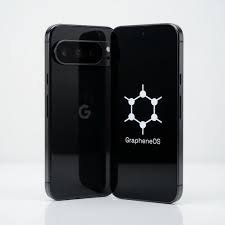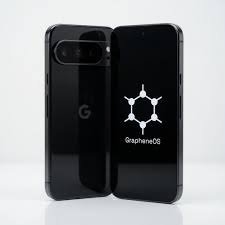
Explore ZeroGhost phone features, including app controls, application sandboxing, verified boot, and privacy settings.
A ZeroGhost phone is designed for people who want greater control over smartphone privacy, application permissions, and the information their device shares. Based on the supplied product description, ZeroGhost uses GrapheneOS as its operating system foundation and highlights features such as application sandboxing, granular permission controls, verified boot, and flexible app settings. These features address important areas of mobile security, helping users make more informed decisions about which applications they install, what access they receive, and how they manage their digital information. Before choosing a privacy-focused phone, it is important to understand how these technologies work, what they can protect, and which privacy habits still matter in everyday use.
What Is ZeroGhost Phone?
ZeroGhost is presented as a privacy-focused smartphone experience built around GrapheneOS. Rather than treating privacy as a single setting that users turn on, this approach emphasizes the operating system, application permissions, device security, and user control as interconnected parts of a mobile environment.
Traditional smartphones can offer many useful privacy and security settings, but users may need to spend time reviewing permissions, background activity, account synchronization, and application behavior. A phone configured around privacy can provide a different starting point for people who want to examine these settings more carefully.
GrapheneOS is an open-source, security-focused mobile operating system based on the Android Open Source Project. Its official documentation describes improvements to security, privacy, application isolation, and system hardening. It also emphasizes application compatibility and practical usability rather than relying only on privacy-related branding.
The distinction is important: GrapheneOS is the operating system, while ZeroGhost is the product name associated with the smartphone experience described here. The precise hardware model, installation process, supplied applications, warranty conditions, and support arrangements should be checked on the relevant product page before purchasing.
For readers comparing privacy-focused devices, the most useful question is not simply whether a phone claims to protect privacy. It is how the device implements security features, how much control users have, and what limitations remain when the phone connects to apps, networks, and online services.
What Are the Main ZeroGhost Phone Features?
The supplied product description highlights several features relevant to people who want more control over their mobile experience.
- GrapheneOS foundation: A security-focused Android-based operating system designed with privacy and system hardening in mind.
- Application sandboxing: A mechanism that helps isolate applications from one another and restricts access to resources.
- Granular permission controls: Options for managing access to sensitive information and device functions.
- Verified boot: A security mechanism that helps verify the integrity of the operating system during startup when configured correctly.
- Flexible app environment: Greater choice over which apps and services are installed and used.
- Privacy-conscious configuration: An approach that encourages users to review permissions, account settings, and data-sharing behavior.
These capabilities should be distinguished from claims that a smartphone is impossible to track, cannot be compromised, or automatically blocks every form of data collection. No smartphone can eliminate every privacy risk, and the effectiveness of specific protections depends on the device, its configuration, software updates, installed applications, and user behavior.
1. GrapheneOS: The Operating System Behind the Experience
The operating system is one of the most important parts of smartphone security. It manages applications, system resources, permissions, storage, updates, and interactions between software components.
GrapheneOS focuses on strengthening the Android platform’s security model while maintaining practical usability. According to its official features overview, the project includes improvements involving application sandboxing, exploit mitigation, verified boot, attack-surface reduction, and privacy controls.
Why does the operating system matter?
Applications do not run independently of the operating system. They rely on it to request permissions, access storage, use network connections, interact with hardware, and communicate with other components.
A security-focused operating system can reduce opportunities for applications or attackers to misuse these capabilities. It can also introduce additional restrictions and protections intended to limit the consequences of software vulnerabilities.
For example, an application that encounters a security flaw should not automatically be able to access every other application’s private data. Isolation mechanisms help create boundaries that can limit unauthorized access.
These protections are useful, but the operating system is only one part of the overall security picture. A vulnerable app, a compromised account, an unsafe download, or a person who obtains an unlocked phone may still create risks.
Is GrapheneOS the same as a standard Android installation?
GrapheneOS is based on the Android Open Source Project, but it makes additional security and privacy changes. It does not include or use Google apps and services by default, while offering the option to install official Google Play components as sandboxed applications when needed. The official implementation differs from the more privileged integration commonly used by standard Android installations.
This gives users a choice about their app environment. However, it does not mean every application associated with Google or another company is automatically prohibited, nor does installing a different operating system automatically make all online activity private.
2. Application Sandboxing: Keeping Apps More Isolated
Application sandboxing is a foundational concept in mobile security. It creates boundaries that restrict what an application can access outside its permitted environment.
Imagine using a messaging application, a photo editor, a shopping app, and a banking app on the same phone. Each application may hold different types of information. Sandboxing helps prevent one app from freely accessing the private data of another simply because both are installed on the same device.
How does application sandboxing work?
The operating system gives applications separate execution environments and controls their access to system resources. Applications must operate within the boundaries defined by the platform, unless an explicitly permitted mechanism allows additional access.
GrapheneOS strengthens multiple aspects of Android’s sandboxing model. Its official technical documentation describes improvements to application isolation and the underlying components that enforce those boundaries.
This matters because software vulnerabilities can occur even in familiar, widely used applications. If an attacker exploits an application, strong isolation may make it more difficult to move from that application into unrelated parts of the device.
What does sandboxing not guarantee?
Sandboxing does not make every application trustworthy. An app may still collect information that you deliberately give it or transmit data it is legitimately permitted to access.
For example, a social networking application may process your profile details, uploaded photographs, messages, or activity within its service. Sandboxing does not prevent normal data processing that takes place inside the application.
The practical goal is to limit unnecessary access and reduce the damage that could result from certain types of compromise. Users should still review privacy policies, limit permissions, avoid suspicious downloads, and keep applications updated.
3. Granular App Permissions and Everyday Control
Permission management is one of the most visible ways a user can improve smartphone privacy. Apps may request access to a location, camera, microphone, contacts, photographs, notifications, or other resources.
A privacy-focused configuration encourages users to decide whether each permission is necessary rather than automatically accepting every request.
Why do app permissions matter?
Consider a simple example: a calculator application generally does not need access to your contacts or microphone to perform basic calculations. A navigation application, on the other hand, may need location access to provide directions.
Granting permissions according to an application’s actual purpose can reduce unnecessary access to personal information.
Depending on the operating system version and application, Android-based systems support controls such as one-time permissions, access limited to foreground use, and more targeted storage access. GrapheneOS builds on this permission model with additional privacy features.
How to review app permissions
A practical permission review can follow these steps:
- Open the device’s Settings application.
- Find the privacy or permissions section.
- Review the categories available, such as camera, microphone, location, and contacts.
- Examine which installed apps have access to each category.
- Remove permissions that are not required for the app’s intended functionality.
- Test the app afterward to confirm that its essential features still work.
Menu names can differ according to the software version and device configuration.
Does denying a permission stop all data collection?
No. Removing a permission limits a particular type of access, but it may not prevent every form of data collection.
An app may still process information you provide directly, collect certain technical details, or communicate activity to its own online service. Network access, account settings, and the app’s privacy practices also matter.
The best approach is to combine permission management with careful app selection, privacy-conscious account settings, regular software updates, and a clear understanding of what information you share.
4. Verified Boot and Operating System Integrity
Verified boot is another important feature to understand when evaluating a privacy-focused smartphone. It is intended to help establish whether the software loaded during startup matches an authenticated version rather than an unauthorized modification.
A device that supports verified boot can check the integrity and authenticity of important system components. GrapheneOS documents an enhanced implementation of verified boot and related integrity protections.
Why is verified boot useful?
Smartphone security is not limited to what happens after you unlock the screen. The integrity of the software that starts the device is also important.
If an attacker could modify critical system components without detection, the altered software might attempt to bypass normal security controls. Verified boot is designed to make unauthorized modifications more difficult and help detect integrity problems.
However, the details of implementation matter. A device’s bootloader state, verification configuration, and trusted verification key all affect the protection provided.
What should buyers check?
If a phone comes with GrapheneOS pre-installed by a third-party seller, ask how the installation is verified and whether the device is configured to maintain the intended security properties.
It is not enough to assume that seeing an operating system name in a settings menu proves every security control is correctly configured. The device must be compatible, the installation must be authentic, and its configuration must support the required verification process.
For technical background, consult the official GrapheneOS installation guide. The project recommends its own documented installation methods and warns that unofficial instructions can become outdated or contain errors.
5. Privacy-Focused App Selection and Installation
A smartphone’s privacy is shaped by the applications installed on it. Even a well-secured operating system cannot make every third-party app follow responsible data practices.
Different applications collect different information depending on their purpose, settings, and policies. Some need substantial access to provide their intended service; others request more access than a user may consider necessary.
What makes an app suitable for a privacy-conscious setup?
When choosing an app, examine its purpose, developer, permission requests, update history, and privacy policy. Check whether a feature can work without a particular permission or online account.
For example, a basic notes application may offer local storage, while another may synchronize notes across multiple devices. The synchronized option may be more convenient, but it may also involve transferring information to a service provider.
Neither model is automatically right for every user. The decision depends on the sensitivity of the information, the convenience required, and the trust placed in the provider.
Should you remove every online service?
Not necessarily. A usable phone often needs a combination of messaging, navigation, email, productivity, banking, and other applications.
A more realistic privacy strategy is to identify which services are essential, understand what data they require, and select alternatives when the trade-offs are worthwhile.
Some apps rely on Google Play services or other components to deliver notifications, location-related functions, payments, or account integration. Since GrapheneOS offers optional sandboxed Google Play, compatibility should be evaluated according to individual app requirements rather than assuming that every application works identically.
6. Data Sharing, Online Accounts, and Cloud Synchronization
Smartphone privacy includes more than the operating system. The online accounts connected to a phone can influence how information moves between apps, websites, and other devices.
Cloud synchronization can be convenient because it makes information available across different devices. It can also mean that particular data is transmitted to and stored by a service provider, depending on the service and settings selected.
Understand what synchronizes
Before enabling synchronization, review the categories of information involved. These may include contacts, photographs, documents, browser bookmarks, calendars, messages, or device backups.
The available categories depend on the application or service. Some services offer end-to-end encryption for particular data types, while others use different storage and access arrangements.
Read the relevant documentation instead of assuming that all cloud data receives identical protection.
Keep separate accounts for different purposes
Users with heightened privacy requirements may benefit from distinguishing personal, work, shopping, and testing activities. Separate accounts or user profiles can help organize applications and information.
GrapheneOS supports Android’s user-profile model, which provides separate app instances and profile data. Applications in one profile generally cannot directly access applications and data in another profile without an appropriate communication mechanism or user action.
Separate profiles can reduce accidental mixing of information, although they do not make accounts completely anonymous or eliminate every possible link between activities.
7. Location Privacy and Smartphone Tracking
Location privacy is a major consideration for people who want greater control over their digital footprint. Smartphones use several technologies to provide location-related services, including satellite-based positioning, nearby Wi-Fi networks, and cellular networks.
Applications can also request permission to access device location, depending on the operating system and the app’s requirements.
How can permission controls help?
Reviewing location permissions allows users to decide which applications can access location information and under what conditions. For example, a navigation app may need location access while providing directions, whereas a simple offline calculator normally does not.
Where available, more restrictive permission choices can reduce unnecessary exposure. Users should also review location-sharing settings within individual applications and online accounts.
Can a privacy-focused phone make you completely untraceable?
No. This distinction is important.
A smartphone still communicates with mobile network infrastructure when connected to a cellular network. Mobile carriers can have access to network-related information, including which cell towers a device connects to. Location services, connected accounts, app behavior, and information shared with other people can also reveal details about a user’s activities.
A privacy-focused operating system can help restrict some forms of application access and improve device security, but it cannot make every network interaction invisible.
If location privacy is important, review app permissions, disable location access when it is not needed, inspect account-level location-sharing settings, and understand how your mobile carrier processes network information.
Explore ZeroGhost – https://zeroghost.shop
8. Protecting Camera, Microphone, and Personal Files
The camera and microphone allow smartphones to support video calls, photographs, voice messages, navigation assistance, and many other useful activities. Because these components can capture sensitive information, access should be considered carefully.
Camera and microphone permissions
Check which apps can use the camera or microphone and whether that access is appropriate for their functions. Remove unnecessary permissions and review whether an app needs access continuously or only while being used.
Operating-system privacy indicators can provide useful information about camera or microphone activity where supported. Users should familiarize themselves with the indicators and controls available on their device.
These measures improve visibility, but they are not a substitute for maintaining an updated operating system and installing applications from trustworthy sources.
Personal photographs and documents
Photos, videos, downloads, and documents can contain sensitive personal information. Some photographs may include location metadata, depending on the camera settings and file-processing workflow.
Before sharing a file, consider whether it contains information you do not intend to reveal. Check the sharing application’s options and understand whether it preserves or removes metadata.
Similarly, review which applications can access photos and files. Granting access only where necessary can reduce unnecessary exposure.
Screen locks and device protection
A strong screen lock is another important part of security. Use a sufficiently long PIN or a strong passphrase that is difficult for other people to guess. Keep the device locked when it is not in use, and avoid sharing authentication details.
Biometric unlocking can be convenient, but users should understand the device’s authentication options and how to disable biometric access when they prefer to rely on a PIN or password.
These everyday practices complement operating-system protections rather than replacing them.
9. Security Updates and Long-Term Device Support
A privacy-focused smartphone needs ongoing maintenance. New vulnerabilities can be identified after a product is released, so security depends partly on how quickly relevant patches become available and how long the device remains supported.
Why are updates important?
Updates may address vulnerabilities, improve system stability, and strengthen security components. Delaying important updates can leave known weaknesses unpatched.
When choosing a ZeroGhost phone, identify the exact underlying hardware model and check its current support status. Do not assume that every device sold under the same product name receives security updates for the same length of time.
GrapheneOS maintains official documentation for supported devices and installation. Check the project’s current information and compare it with the seller’s claims before buying.
What should buyers ask about updates?
Consider these questions:
- Which exact hardware model will be supplied?
- Is the device currently supported by GrapheneOS?
- How are operating-system updates delivered?
- Will users receive updates directly through the expected update mechanism?
- Does the seller document any configuration steps that affect updating?
- Who should be contacted if an update fails or the device develops a problem?
These questions matter particularly when purchasing a device that has been modified or configured by a third party.
A privacy-focused operating system is not a one-time installation that makes future maintenance unnecessary. Regular updates remain a critical part of a secure mobile setup.
10. Is ZeroGhost Phone Suitable for Everyday Use?
A security-focused smartphone should be assessed not only by its protections but also by how well it fits a person’s daily routine.
Most users depend on smartphones for communication, work, navigation, online accounts, payments, photographs, and entertainment. A privacy-focused device is practical only when its capabilities and app compatibility meet those needs.
Communication and messaging
Check whether your preferred messaging apps work properly and whether they support the features you depend on, such as notifications, calls, file sharing, and contact synchronization.
Some applications may behave differently depending on the presence of particular service components or permissions. Test essential communication tools before relying on the phone for time-sensitive tasks.
Banking and payment applications
Banking apps, digital wallets, and payment services may have device-integrity or compatibility requirements. Availability can depend on the application developer, the device’s configuration, and the relevant financial provider.
Before moving your primary banking activity to a different operating system, verify that the required apps work and that your bank supports the device setup.
Do not assume that every financial application will behave exactly as it does on a manufacturer’s standard Android installation.
Navigation, work, and productivity
Navigation apps may require location access and online services. Productivity applications may rely on cloud synchronization or account sign-in, while business tools can require device-management policies.
Make a list of the essential applications you use each day and check them individually. This is more reliable than assuming that every Android application is compatible.
Entertainment and connected devices
Streaming platforms, wearable devices, smart-home applications, and certain games can have their own compatibility requirements. If you depend on a particular accessory or service, check that it supports your intended setup before purchasing.
The key is to balance privacy preferences with practical requirements. A device may offer useful security capabilities but still be unsuitable if it cannot run applications essential to your daily life.
11. Who May Benefit From a Privacy-Focused Phone?
A privacy-focused smartphone may appeal to people who want to review the role of applications and services in their digital lives. The value depends on the user’s needs, technical comfort, and willingness to manage settings.
Privacy-conscious everyday users
People who want fewer default services and more control over application permissions may appreciate an operating system that places privacy and security at the centre of its design.
They can still use modern smartphone applications, but may need to make more deliberate decisions about which services to install and what access to grant.
Freelancers and professionals
Freelancers, consultants, and professionals may store work conversations, documents, client information, or authentication credentials on their devices.
A stronger device-security foundation can be useful, but it should form part of a broader security approach that includes secure accounts, multi-factor authentication, appropriate backups, and careful handling of sensitive files.
People handling confidential or regulated information should also follow their organization’s security requirements.
Technology enthusiasts
Users who enjoy understanding operating systems and customizing device settings may appreciate the flexibility of a security-focused Android environment.
They may be comfortable checking compatibility, reviewing permission controls, and troubleshooting application behavior when necessary.
However, technical curiosity is not a requirement for wanting privacy. The important factor is whether the device provides the features and level of support the user needs.
People who prioritize simpler privacy choices
Some buyers prefer a phone that comes with a particular operating system already configured instead of installing it themselves. A preconfigured device may reduce the initial setup burden.
Even so, buyers should verify who installed the software, whether the installation is authentic, how the device is configured, and what support is available after delivery.
A preconfigured phone should not be assumed to be safer solely because a seller describes it as privacy-focused.
12. What to Check Before Buying ZeroGhost Phone
Before making a purchase, evaluate the device as a complete product rather than focusing only on the operating system’s name.
Confirm the hardware model
Check the exact smartphone model, storage capacity, physical condition, display specifications, battery condition, and other hardware details. These factors affect performance, usability, and long-term value.
If the phone has been refurbished, ask about its condition grading and any relevant testing or replacement procedures.
Verify the operating system installation
Confirm that the supplied configuration uses an authentic GrapheneOS installation and supports the expected security features. Review how the device handles verified boot and updates.
The official GrapheneOS website is the best starting point for checking supported devices and technical installation guidance.
Review app compatibility
List the apps you cannot do without, including banking, authentication, navigation, business communication, and payment tools. Check their compatibility before switching.
If possible, ask the seller for clear guidance on the intended app environment, while independently verifying important technical claims.
Understand warranty and returns
Read the warranty, return, and refund terms before placing an order. Pay particular attention to who is responsible for hardware defects, software-related issues, shipping costs, and technical support.
If the operating system has been changed by a third party, do not assume the original hardware manufacturer’s warranty remains unchanged. Confirm the applicable terms for the actual product being offered.
Check seller details and support
Verify the seller’s contact information, privacy policy, sales terms, and support channels. Ensure that the domain you are visiting is the intended seller’s website and that the purchase terms refer to the same product and operator.
You should also establish how the seller handles updates, troubleshooting, and problems that appear after delivery.
These checks help you make a decision based on practical evidence rather than marketing claims alone.
13. ZeroGhost Phone: Benefits and Limitations
A balanced review should consider both the potential advantages and the trade-offs of a privacy-focused smartphone.
| Consideration | Potential benefit | Important limitation |
|---|---|---|
| GrapheneOS | Security-focused Android-based operating system | Requires compatible hardware and an authentic, correctly configured installation |
| App sandboxing | Helps isolate applications and restrict access | Does not prevent every form of app data collection |
| Permission controls | Allows more deliberate management of sensitive access | Apps may still process information users provide or legitimately share |
| Verified boot | Helps verify the integrity of system software | Protection depends on correct device configuration and verification |
| App choice | Gives users flexibility over their software environment | Some apps may require services or device configurations that affect compatibility |
| Privacy-focused setup | Can reduce reliance on unnecessary services | Does not guarantee anonymity or eliminate network-level tracking |
| Preconfigured device | May reduce initial setup effort | Buyers must verify the installation, support, warranty, and seller claims |
The main advantage of a security-focused phone is the opportunity to start with a stronger emphasis on privacy, isolation, and user control. The main limitation is that privacy still depends on the broader environment in which the phone is used.
No single device can prevent every risk. Good account security, thoughtful app selection, regular updates, and awareness of network and cloud services remain essential.
14. Frequently Asked Questions About ZeroGhost Phone
1. What is ZeroGhost phone?
ZeroGhost is presented as a privacy-focused smartphone experience built around GrapheneOS. Its described features include application sandboxing, granular permission controls, verified boot, and a flexible app environment. Buyers should confirm the exact hardware model and software configuration before purchasing.
2. What is GrapheneOS, and how does it work?
GrapheneOS is an open-source mobile operating system based on the Android Open Source Project. It adds security and privacy improvements to Android, including enhancements to application isolation, exploit mitigation, and system integrity protections.
3. Does ZeroGhost phone give users control over app permissions?
The supplied product description highlights granular permission controls. These controls allow users to review and restrict access to sensitive resources where supported. The precise settings available depend on the operating system version and configuration.
4. Does application sandboxing protect personal information?
Application sandboxing helps isolate apps and limit access to data or resources outside their permitted environment. It can reduce the impact of certain vulnerabilities, but it does not prevent every application from collecting information that users provide or authorize it to access.
5. Does a ZeroGhost phone use Google services?
GrapheneOS does not include Google apps and services by default. It also provides an optional compatibility layer for using official Google Play components as sandboxed applications. The exact services installed on a ZeroGhost device should be confirmed with the seller.
6. Can ZeroGhost phone be tracked?
No smartphone can guarantee complete protection from tracking. A privacy-focused operating system can restrict certain application access and improve security, but mobile networks, online accounts, app activity, and information shared with services can still reveal information about a user.
7. Is verified boot important when purchasing a preconfigured phone?
Yes. Verified boot helps check the integrity of important system software during startup. When buying a phone with a third-party operating system installation, ask how authenticity is verified and whether the device is configured to maintain the intended security protections.
8. Will everyday Android apps work on ZeroGhost phone?
Compatibility depends on the individual application and device configuration. Many applications may work, while some can depend on particular service components, device-integrity checks, or other requirements. Verify the compatibility of essential applications before switching.
9. Is ZeroGhost phone suitable for banking and online payments?
It may be suitable for some users, but compatibility must be checked with the relevant bank, wallet, or payment provider. Test essential financial applications before relying on the device for everyday transactions.
10. Does a privacy-focused phone need regular updates?
Yes. Operating-system and security updates help address newly discovered vulnerabilities and maintain protection over time. Buyers should confirm that the specific hardware model is supported and understand how updates will be delivered.
11. Does a privacy-focused phone automatically block advertisements?
Not necessarily. A privacy-oriented operating system can reduce some forms of unwanted data access, but advertisements may still appear in websites and applications. Advertising behavior depends on the browser, installed apps, and the services being used.
12. Is ZeroGhost phone suitable for beginners?
It may be suitable for beginners who want a preconfigured privacy-focused device, but the experience depends on the setup and support provided. Users should understand basic permission controls, application compatibility, updates, and account security. Clear documentation and reliable customer support are useful when moving to a different operating system.
13. How can users improve privacy after setting up the phone?
Review application permissions, install only necessary apps, use a strong screen lock, maintain software updates, check cloud synchronization settings, and secure important accounts with multi-factor authentication. These practices complement the operating system’s security features.
14. Where can buyers learn more about ZeroGhost?
Visit Official website to review the supplied product information. Before ordering, confirm that the website is the intended seller, verify the device specifications and software configuration, and read the current warranty, return, privacy, and support terms.
Conclusion
The ZeroGhost phone concept centres on giving users greater control over smartphone applications, permissions, and security settings through a GrapheneOS-based environment. Features such as application sandboxing, granular permission controls, and verified boot address important aspects of mobile security, while flexible app choices can help users tailor the device to their everyday needs.
The value of a privacy-focused phone depends on more than its operating system. Users should also consider application compatibility, security updates, account protection, network activity, cloud synchronization, and the way personal information is shared with online services. These factors work together to determine how well a device fits an individual’s privacy requirements.
Before choosing ZeroGhost, verify the actual hardware model, authenticity of the software installation, update arrangements, seller support, and applicable warranty and return conditions. A privacy-focused setup can provide useful tools for managing digital information, but it cannot guarantee complete anonymity or eliminate every security risk.
For more information, visit ZeroGhost and compare the product details with your practical requirements. Making an informed decision means understanding both the available protections and their limitations, then maintaining sensible privacy and security habits throughout everyday use.