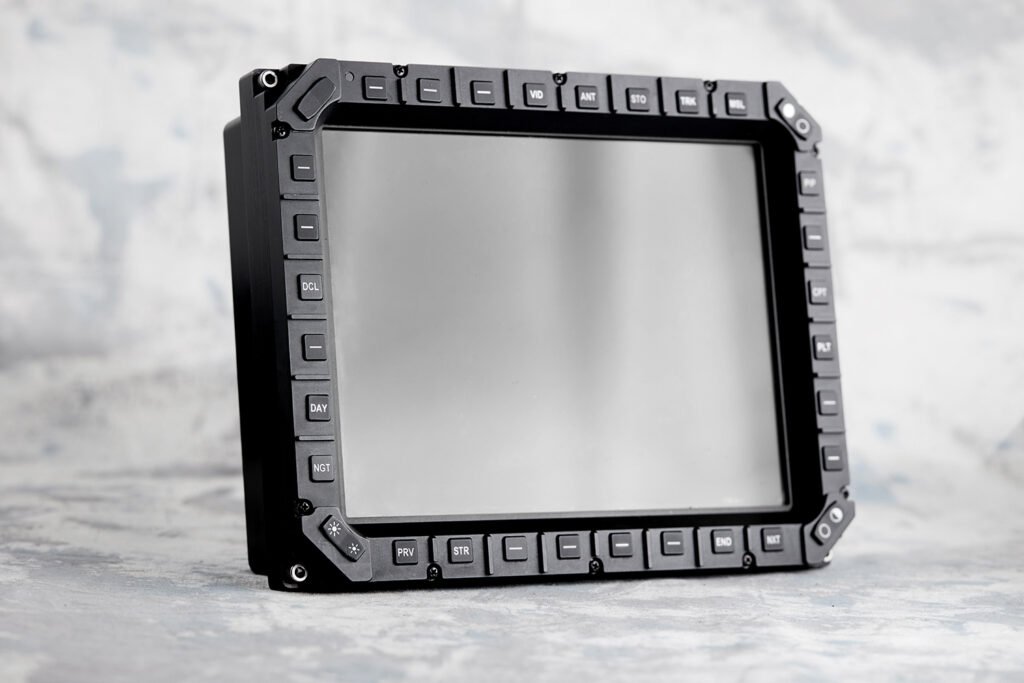
In a cockpit, an armored vehicle turret, or a naval combat information center, the operator interface is where human judgment meets machine capability. Every switch, knob, and screen either supports the operator’s decisions or slows them down. That is why ergonomics is not a cosmetic layer added at the end of a program. It is a core engineering discipline that shapes how a rugged display or control panel performs when the stakes are highest.
Why Ergonomics Matters More in Mission-Critical Settings
Office equipment is designed for comfort over long, predictable workdays. Mission-critical equipment is designed for the opposite: unpredictable workloads, sudden peaks in stress, and environments that actively interfere with human performance. Vibration blurs vision. Gloves reduce finger sensitivity. Night vision goggles narrow the field of view. G-forces make precise hand movements difficult.
Under these conditions, a poorly placed button or an ambiguous display layout can turn a routine task into an error, such as a misread indication or a wrong switch selection. Good ergonomic design reduces those risks by making the correct action the easiest action.
Core Ergonomic Principles for HMI Design
Engineers working on next-generation platforms typically focus on several key principles:
- Reach and access: Frequently used controls should sit within the operator’s natural reach envelope, even when the operator is strapped in or wearing protective equipment.
- Glove-friendly operation: Buttons, knobs, and switches need adequate size, spacing, and actuation force so they can be operated reliably with flight or combat gloves.
- Tactile feedback: Distinct detents, clear switch travel, and shaped knob caps allow operators to confirm an input by feel, without looking away from the outside world or the primary display.
- Visual hierarchy: Warnings, cautions, and advisories need consistent color coding and placement so operators can scan a panel quickly and spot what matters first.
- Consistent logic: Similar functions should behave the same way across panels and platforms, which reduces training time and the risk of negative transfer between aircraft or vehicle types.
Display Ergonomics: Readability Under Real Conditions
For displays, ergonomics is closely tied to optical performance. A screen that looks excellent in a lab may wash out in direct sunlight at altitude or bloom under night vision goggles. Ergonomic display design considers viewing angles from every crew position, luminance range from full sunlight to dark cockpit operation, contrast ratio, reflection control, and compatibility with Night Vision Imaging Systems (NVIS).
Bezel design plays a larger role than many assume. The line keys and rotary controls around a display are often the operator’s primary means of interacting with it. Their legends must stay legible in every lighting condition, their spacing must prevent accidental activation, and their backlighting must be balanced with the display itself so that nothing appears too bright or too dim.
Ergonomics and Ruggedization Go Together
Ergonomic intent can be undermined if hardware cannot survive its environment. A knob that loosens under vibration, a legend that fades after thermal cycling, or a touch surface that loses sensitivity in humidity all degrade usability over time. This is why experienced rugged display manufacturers treat environmental qualification and human factors as parts of the same design process, validating both against standards such as MIL-STD-810 and RTCA DO-160.
For procurement and system engineering teams, this has a practical implication: supplier selection should consider not only specifications on paper, but also the supplier’s proven ability to translate ergonomic requirements into repeatable, qualified hardware.
Involving Operators Early
The most effective programs involve pilots, drivers, and operators early in the design cycle. Mock-ups, rapid prototypes, and simulator evaluations help identify issues such as awkward reach, confusing labels, or uneven lighting before tooling and qualification costs are committed.
About AEROMAOZ
For more than 45 years, AEROMAOZ has designed and manufactured rugged mission-critical HMI solutions, including illuminated panels, bezels, displays, and control systems for commercial and military aviation, armored vehicles, UAV ground stations, flight simulators, and naval platforms. Its engineers help Tier 1 integrators turn ergonomic requirements into certified hardware.
Conclusion
Ergonomics in mission-critical HMI design directly affects safety, workload, and mission success. When operators can find, read, and actuate the right control quickly, under stress and in harsh conditions, the entire system performs better.