navisworks-vs-acc
Most MEP clashes reach the field because teams review models that are already out of date. A duct moves on Tuesday, and Thursday’s report still shows the old route. Construction leaders surveyed by FMI and PlanGrid tied 48% of US rework to poor project data and miscommunication. FMI put that bill at $31.3 billion in 2018 alone.
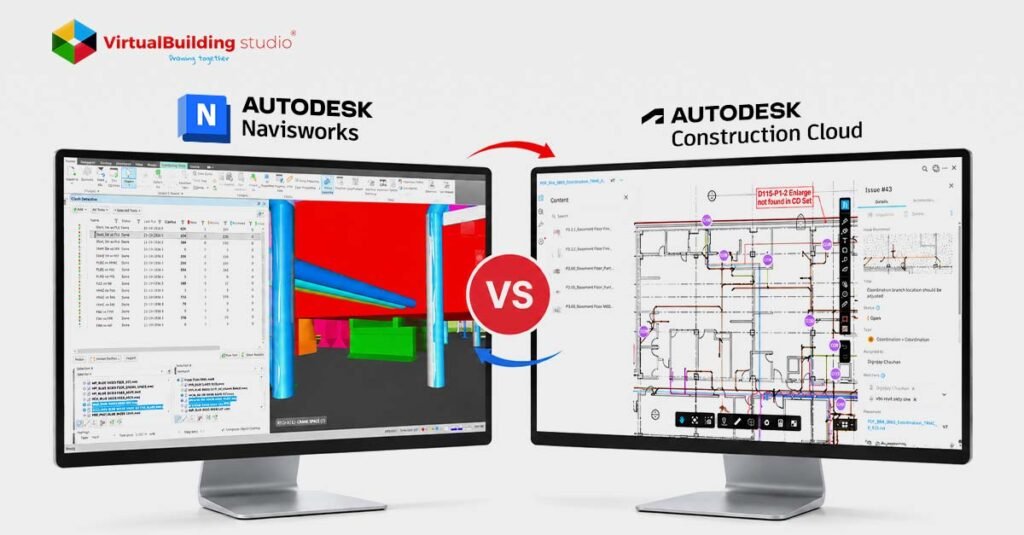
That gap puts the tool choice in a new light. The Navisworks vs ACC clash detection question is no longer just about finding clashes. It is also about how fast teams share them and who acts on them.
Why Clash Detection Moved from the Desktop to the Cloud
For years, coordination ran on a weekly loop. A BIM coordinator collected models, appended them in Navisworks, ran tests and exported a report. The report was thorough, but designers kept modeling while the coordinator built it. So each meeting reviewed last week’s building. Anyone without Navisworks had only that static report to go on.
Cloud-Based BIM Coordination changed that timing. Designers publish models to a shared cloud space, and ACC lets every reviewer open the clashes there. That shift helps designers as much as reviewers. In a mechanical BIM modeling workflow, engineers can spot plumbing or structural changes before the weekly meeting.
Teams who weighed BIM 360 model coordination vs Navisworks years ago will recognize this split. BIM Collaborate Pro, which carries ACC Model Coordination, replaced BIM 360 Design. The cloud side has grown since then, but so has the gap in what each tool does well.
What Navisworks Manage Still Does Best
Navisworks gives coordinators control that browser tools can’t match. Coordinators build tests in Clash Detective using search sets, which work like saved filters. A filter for all chilled water pipes picks up new pipes each time the model updates.
That control pays off on dense, detailed jobs:
Clearance tests: Coordinators check maintenance gaps, not only physical overlaps.
Heavy files: The desktop handles multi-gigabyte models and point cloud scans.
Clash grouping: Coordinators bundle hundreds of related pipe hits into one item.
The cost is hardware and ownership. Navisworks needs a strong Windows workstation and one person who keeps the files current. If that person falls behind, the whole team reviews stale models.
Where ACC Model Coordination Speeds Teams Up
ACC asks for almost no setup. A designer publishes a Revit, DWG, IFC or NWC model. ACC then lets reviewers open fresh clash results in a browser. Reviewers click a cell in the clash matrix, view the clash in 3D and assign an issue.
That simplicity lets project managers and superintendents join cloud clash detection workflows without learning Navisworks. Designers then see each issue pinned to the exact element in Revit.
The limits show up on complex jobs. ACC lets teams view RCS point clouds but can’t clash against them. Many non-Autodesk formats also load for viewing only. Its filters also can’t match multi-rule search sets, so coordinators sort through more noise.
How a Combined Navisworks and ACC Workflow Runs
Since each tool covers the other’s gaps, experienced teams stop choosing and run both. Autodesk built the bridge for exactly this setup. The Navisworks Coordination Issues Add-in lets BIM managers open ACC models inside Navisworks. A typical loop runs like this:
Designers publish Revit models to the ACC coordination space.
Project managers use ACC’s automatic matrix for early, broad reviews.
The BIM manager runs search set and clearance tests in Navisworks.
The BIM manager turns grouped clashes into ACC issues for the right designers.
When a designer updates an issue, the matching clash status in Navisworks updates too. Nobody downloads and appends files by hand anymore. Teams who clash only in Navisworks can even switch off ACC’s automatic clash for that space. That keeps one shared issue list for the whole project. A clear MEP coordination process depends on that kind of ownership, whichever tool finds the clash.
Choosing the Right Clash Workflow for Your Project
Project complexity and team maturity decide which tool leads. Here is a quick way to sort your next job:
ACC alone is enough: A standard commercial build where most consultants model in Revit.
Navisworks is non-negotiable: Hospitals, data centers and industrial plants with strict clearance rules.
Navisworks also leads: Jobs where crews check fabricated spools against point cloud scans.
Most real projects fall between those cases. The safest setup lets ACC handle visibility and lets Navisworks handle precision.
Conclusion
The Navisworks vs ACC clash detection debate ends with a pairing, not a winner. Navisworks gives coordinators fabrication-level precision, and ACC gives the whole team one current list of open issues. Teams that use both catch problems in the model instead of on site. Firms short on in-house coordinators can bring in MEP coordination services to run the Navisworks side.
Stop reviewing last models & Get the full hybrid workflow and feature matrix in the complete blog