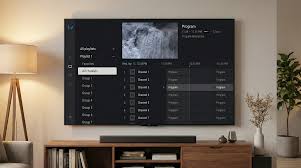
Tivimate IPTV Subscription
Introduction to IPTV Performance Challenges
Modern streaming has become a core part of home entertainment, and IPTV services have rapidly replaced traditional cable systems. However, even the most advanced setups can experience occasional disruptions. Users of Tivimate IPTV Subscription often encounter issues such as buffering, playlist errors, EPG failures, or playback interruptions.
The good news is that most of these problems are not permanent. They are usually caused by configuration errors, unstable internet connections, or provider-side limitations. With the right troubleshooting approach, users can restore smooth performance and enjoy uninterrupted streaming.
This guide explains the most common issues and provides practical solutions to fix them effectively while optimizing the overall IPTV experience.
Understanding Tivimate IPTV Subscription Issues
Before fixing problems, it is important to understand where they originate. The performance of Tivimate IPTV Subscription depends on three key factors:
- IPTV application settings
- Internet connection stability
- IPTV provider server quality
If any one of these elements is weak, the entire streaming experience can be affected. Unlike traditional television, IPTV relies heavily on internet data transmission, making it more sensitive to disruptions.
By identifying the root cause early, users can apply the correct fix and avoid unnecessary adjustments.
Buffering Problems and How to Fix Them
Buffering is one of the most common complaints among IPTV users. It occurs when video playback pauses repeatedly due to slow or unstable data streaming.
Common Causes
- Weak internet connection
- Overloaded IPTV servers
- Incorrect buffer settings
- WiFi interference
Effective Solutions
To fix buffering in Tivimate IPTV Subscription, users should first test their internet speed. A stable connection is essential for HD and 4K content.
Switching from WiFi to a wired Ethernet connection can significantly improve stability. If that is not possible, positioning the router closer to the device can help reduce signal loss.
Adjusting buffer settings inside the application can also improve playback. Increasing buffer size allows more data to load before playback begins, reducing interruptions.
Finally, switching to a more stable IPTV provider may resolve persistent buffering issues caused by overloaded servers.
Playlist Not Loading or Empty Channels
Another frequent issue is when playlists fail to load or show empty channel lists. This can be frustrating, especially after proper setup.
Common Causes
- Incorrect M3U URL or login details
- Expired subscription
- Server downtime
- Input formatting errors
Fixing the Issue
To resolve this problem in Tivimate IPTV Subscription, users should first verify their credentials. Even a small typing error can prevent playlist loading.
If the subscription has expired, renewing it is necessary. Users should also check with their provider to confirm whether servers are operational.
Re-entering the playlist URL or login details often resolves hidden formatting issues. Restarting the application after updates can also help refresh data.
EPG Not Showing or Missing Program Guide
The Electronic Program Guide (EPG) is essential for navigating channels and viewing schedules. When it fails to load, the viewing experience becomes less organized.
Common Causes
- Incorrect EPG source URL
- Sync delay between provider and app
- Cache issues
- Incompatible data format
Solutions
To fix EPG problems in Tivimate IPTV Subscription, users should first refresh the EPG data manually from settings. This forces the app to reload program information.
Clearing cache can also resolve outdated or corrupted guide data. If the issue persists, re-adding the EPG source is recommended.
Ensuring that the IPTV provider supports EPG data is also critical, as not all services include this feature.
App Crashing or Freezing Issues
Application instability can disrupt the entire streaming experience. Crashes or freezes are often caused by system overload or corrupted data.
Common Causes
- Insufficient device storage
- Outdated application version
- Corrupted cache files
- Device compatibility issues
Fixing Stability Problems
To improve stability in Tivimate IPTV Subscription, users should regularly update the application to the latest version.
Clearing cache and removing unused playlists can reduce memory usage. Restarting the device can also refresh system resources.
If crashes continue, reinstalling the application is often the most effective solution.
Slow Channel Switching and Lag
Slow navigation between channels can reduce user satisfaction. Smooth switching is essential for a premium IPTV experience.
Possible Causes
- Weak processor performance
- Heavy playlist size
- Poor internet speed
- Background apps consuming resources
Optimization Methods
Reducing the number of active playlists in Tivimate IPTV Subscription can improve performance. Large playlists take longer to load and process.
Closing unnecessary background apps frees up system memory and enhances responsiveness.
Using a high performance streaming device can also significantly improve channel switching speed.
Login and Authentication Errors
Sometimes users experience login failures or authentication errors when entering IPTV credentials.
Common Causes
- Incorrect username or password
- Expired subscription
- Server authentication failure
How to Fix It
Users should carefully recheck login details and ensure correct spelling. If credentials are correct, contacting the IPTV provider is necessary to confirm server access.
Restarting the application after correcting details often resolves temporary authentication glitches in Tivimate IPTV Subscription.
Audio and Video Sync Issues
Audio and video synchronization problems can affect viewing quality, especially during live streams.
Causes
- Weak processing speed
- Poor stream encoding
- Network latency
Solutions
Switching to a different stream source can resolve sync issues. Some IPTV providers offer multiple stream options for the same channel.
Adjusting playback settings or restarting the stream can also help restore synchronization in Tivimate IPTV Subscription.
Storage and Performance Optimization
Over time, IPTV applications accumulate cache and data that may slow performance.
Best Practices
- Regularly clear cache
- Remove unused playlists
- Restart device weekly
- Keep software updated
Maintaining system cleanliness ensures that Tivimate IPTV Subscription runs smoothly over long periods without performance drops.
Advanced Troubleshooting Techniques
For users who continue to experience issues, advanced troubleshooting may be required.
Network Reset
Resetting network settings can eliminate hidden connectivity problems.
Device Optimization
Freeing up internal storage and closing background applications improves performance.
Provider Switch
If issues persist, switching IPTV providers may be necessary, as server quality plays a major role in streaming stability.
Applying these advanced methods ensures long term reliability of Tivimate IPTV Subscription.
Why Proper Maintenance Matters
Regular maintenance prevents most IPTV issues before they occur. Keeping applications updated, ensuring stable internet, and using reliable providers all contribute to a smooth experience.
A well maintained setup ensures that Tivimate IPTV Subscription continues to deliver high quality streaming without interruptions.
Conclusion
IPTV issues are common, but they are also highly fixable when approached correctly. Most problems stem from internet instability, incorrect settings, or provider limitations rather than the application itself.
By following structured troubleshooting steps, users can resolve buffering, playlist errors, EPG issues, and performance delays effectively. With proper setup and maintenance, Tivimate IPTV Subscription can deliver a stable and enjoyable streaming experience suitable for everyday entertainment.
FAQs
1. Why does my IPTV keep buffering?
Buffering usually occurs due to slow internet speed or overloaded IPTV servers.
2. How do I fix playlist not loading?
Check your login details, refresh the playlist, and confirm subscription validity.
3. Why is my EPG not showing?
EPG issues are often caused by incorrect sources or syncing problems.
4. Can app crashes be fixed easily?
Yes, clearing cache or reinstalling the app usually resolves crashes.
5. What is the best way to improve performance?
Use a stable internet connection, reduce playlist size, and keep the app updated.
For more information: TiviMate IPTV Player