A powerful computer can do much more than run games. It can support creative applications, software development, multitasking, and everyday productivity. However, purchasing a machine capable of handling demanding workloads can require a significant investment in hardware.
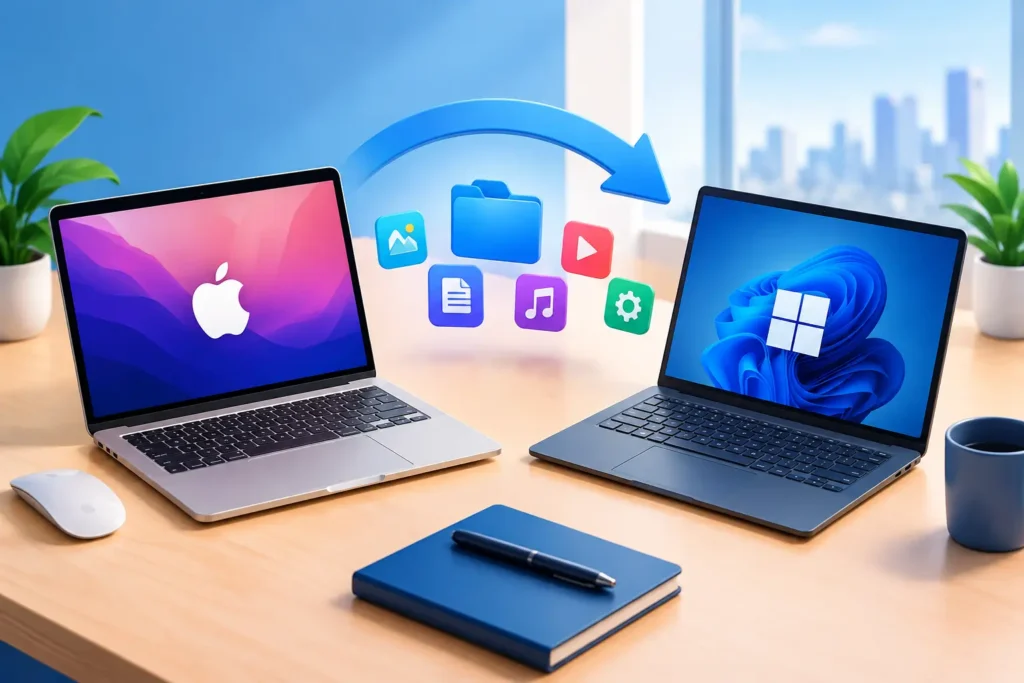
A cloud based gaming PC offers another approach. Instead of relying entirely on a computer’s physical components, users access a remote system that provides computing resources through the internet. The remote machine handles the main workload, while a supported local device displays the desktop and sends user input.
This technology makes it possible to use a cloud PC for gaming while also accessing a broader desktop environment for compatible applications and tasks.
Unlike services that only provide access to selected streamed games, a full cloud PC can offer a remote operating system, configurable resources, and persistent storage. This creates more flexibility for people who want a gaming environment that can also support other computing needs.
What Is a Cloud-Based Gaming PC?
A cloud-based gaming PC is a remote computer configured with resources suitable for running compatible PC games.
The game runs on the cloud infrastructure rather than entirely on the user’s local device. Its audio and video output is streamed over the internet, while keyboard, mouse, and other supported inputs travel back to the remote computer.
The local device therefore acts as the access point rather than performing the entire gaming workload.
For example, someone with a laptop that has limited graphics capabilities can connect to a cloud computer with a more capable GPU. The remote system handles the primary rendering workload, while the laptop receives and displays the stream.
A full cloud PC can also provide access to a desktop operating system. Depending on the provider and configuration, users may install compatible launchers, manage files, configure applications, and use the same remote environment for tasks beyond gaming.
This is an important difference between a full cloud computer and a conventional game-streaming platform.
How Does a Cloud PC Work?
A cloud PC operates through remote computing infrastructure. Its resources are hosted by a provider, and users access the system through a supported connection method.
The process generally involves four stages.
1. Choose a Remote Computer Configuration
Users select a cloud PC with resources appropriate for their intended workload.
These resources may include:
- CPU processing capacity.
- System memory.
- GPU performance.
- SSD storage.
- Operating system.
- Data center region.
For gaming, the graphics processor is particularly important, but CPU resources and memory also influence performance.
2. Connect to the Cloud Desktop
After creating the computer, users connect through a supported browser or remote desktop application.
The cloud PC runs its operating system and applications remotely. The local device displays the desktop and sends input to the cloud environment.
3. Install and Run Compatible Applications
A full cloud desktop can support compatible applications, including game launchers and productivity software.
Users may install applications, configure settings, and manage files according to the operating system and provider’s policies.
4. Retain the Computing Environment
Some providers offer persistent storage that retains installed applications, games, and files between sessions.
This is useful when users want to return to an established environment without repeatedly downloading games or recreating their settings.
With SensePC, persistent SSD storage keeps installed games, launchers, settings, and files available while the cloud PC and its storage remain allocated.
Cloud-Based Gaming PC vs. Traditional Cloud Gaming
Not every cloud gaming solution provides a complete desktop. Understanding the difference can help users select a service that matches their expectations.
Traditional Game-Streaming Services
A traditional cloud gaming service generally provides access to games through a managed platform.
Users choose from supported titles, and the provider manages the underlying gaming infrastructure.
This can be convenient for players who want a straightforward way to stream supported games. However, the available catalog, installation options, and customization features depend on the platform.
Full Cloud PC Services
A full cloud PC provides access to a remote computer rather than only a managed game session.
Depending on the configuration, users can access the operating system, install compatible software, manage files, and use their desktop environment for multiple activities.
For gamers who want to use their own compatible launchers and maintain a persistent desktop, this approach can offer greater flexibility.
SensePC follows the full cloud PC model. Its gaming configurations provide a Windows 11 environment with GPU resources. Steam and Epic Games Launcher are ready on Xtreme plans, allowing users to sign in with their own accounts and install games they own, subject to compatibility.
This does not mean every game will work. Publishers, DRM systems, launchers, and anti-cheat technology can restrict certain cloud or virtual environments.
Why Use One Cloud PC for Gaming and Everyday Tasks?
One of the advantages of a full cloud PC is that it can support more than a single activity.
Rather than using a remote system exclusively for games, users can access compatible applications within the same desktop environment.
Gaming and Entertainment
A cloud-based gaming PC can run compatible titles using remote GPU resources.
This can be useful for people whose local computers lack the graphics hardware required by certain games.
The experience depends on the selected configuration, game requirements, internet connection, and distance from the cloud region.
Everyday Productivity
A full desktop can also support everyday applications such as web browsers, office software, communication tools, and file-management utilities.
Users can access a familiar desktop environment without depending entirely on the specifications of their local machine.
Creative Applications
Some cloud computers offer GPU resources that can support compatible creative workloads, including graphics applications, video-related tasks, and other demanding software.
However, software requirements vary. Check the provider’s GPU configuration, memory, storage, and application compatibility before relying on a cloud PC for professional work.
Software Development
A cloud PC can provide a remote environment for programming, testing, and other development activities.
Depending on the operating system and available resources, developers may install code editors, development tools, and supported applications.
A full cloud desktop can therefore be useful when someone wants a separate environment for gaming and technical work.
What Hardware Should You Look for in a Cloud PC?
Choosing a cloud PC requires evaluating the complete configuration rather than focusing on a single specification.
GPU Resources
The GPU is a central consideration for graphics-intensive games.
Check the GPU model, graphics memory, and available configuration options. Compare these details with the requirements of your preferred titles.
SensePC’s Xtreme gaming tiers use NVIDIA L4 graphics with 24 GB of GPU memory. The available CPU, RAM, and storage resources vary between tiers.
A GPU specification does not guarantee a particular frame rate. Actual performance depends on the game, configuration, graphics settings, and streaming conditions.
CPU and RAM
CPU resources influence game logic, background processes, and applications running alongside games.
System memory is also important when running demanding games or multiple applications simultaneously.
Choose a balanced configuration that matches your workload rather than assuming the largest GPU option is always necessary.
SSD Storage
Storage determines how many games, applications, and files you can retain on the remote computer.
Persistent SSD storage is particularly useful for gaming because it can preserve installations and settings between sessions.
Before choosing a provider, check storage capacity and billing rules. Some cloud PC plans charge for storage even when computing resources are stopped.
Operating System
Your operating system affects which applications and games you can run.
Windows 11 is relevant for many PC gaming launchers and applications, although individual games may have additional requirements.
SensePC offers Windows 11 cloud PCs under a Bring Your Own License (BYOL) model. Users must provide an eligible Windows license. Ubuntu 24.04 LTS with a graphical desktop is also available for supported Linux workloads.
Internet Requirements for a Cloud-Based Gaming PC
A cloud PC moves the main computing workload to a remote environment, but it still depends on your local internet connection.
Three network characteristics are especially important.
Bandwidth: The available data-transfer capacity affects the quality and consistency of the streamed desktop.
Latency: The time required for data to travel between your device and the cloud computer influences how responsive games and applications feel.
Stability: Consistent connectivity helps prevent interruptions, stuttering, and sudden changes in stream quality.
A fast internet package does not automatically guarantee a responsive cloud gaming experience. Network routing, congestion, server distance, and wireless interference can all affect performance.
For a more consistent connection:
- Use Ethernet when possible.
- Maintain a strong Wi-Fi signal if using wireless connectivity.
- Select a suitable cloud region.
- Avoid unnecessary network congestion during gaming.
- Test the connection before committing to long sessions.
SensePC offers browser access and Performance Mode through the native Amazon DCV client on supported Windows and macOS desktop systems. Performance Mode is recommended for latency-sensitive gaming, although results still depend on the network, location, configuration, and game.
How Much Does a Cloud PC Cost?
The cost of using a cloud PC depends on the selected hardware, billing model, storage requirements, and amount of time the computer is running.
Different billing options suit different users.
Hourly Billing
Hourly access can suit people who need additional computing power occasionally.
It allows users to pay for computing time without necessarily committing to a recurring monthly plan.
Check whether storage charges continue when the computer is stopped. With SensePC’s Hourly plan, compute billing stops when the PC is stopped, but allocated SSD storage continues to incur charges.
Daily Billing
Daily access may be suitable for users who need a longer block of computing time during a particular day.
Check the included usage allowance and the conditions of the selected plan before choosing it.
Monthly Billing
Monthly access can suit users who regularly rely on their cloud PC for gaming or other activities.
Compare the included usage with your expected monthly hours. A monthly plan is not automatically the cheapest choice for occasional users.
SensePC offers Hourly, Daily, and Monthly access options. Review the live pricing for your selected configuration and region before creating a computer.
How SensePC Fits into the Cloud PC Ecosystem
SensePC is designed to provide configurable cloud computers for gaming, development, productivity, creative applications, and other compatible workloads.
For gaming, its Xtreme configurations use NVIDIA L4 graphics. Steam and Epic Games Launcher are ready on these plans, allowing users to sign in with their own accounts and install compatible games.
The platform also provides persistent SSD storage, flexible billing, and supported browser and native-client access methods.
A typical SensePC setup involves the following steps:
- Select your configuration: Compare the available CPU, RAM, GPU, and storage options.
- Choose a region: Select an available location with a suitable network route.
- Create your cloud PC: Follow the setup process and review operating-system licensing requirements.
- Connect to your desktop: Use browser access or a supported native client.
- Install applications: Sign in to your compatible game launchers and install your own games.
- Manage your usage: Stop the computer when finished if your plan permits it, and review ongoing storage charges.
SensePC supports desktop streaming on compatible desktop and laptop devices. Chromebook users can access a running PC through a supported browser, while phone and tablet streaming are not currently supported.
For Windows 11, users must provide an eligible license under the BYOL model. These requirements should be considered alongside hardware and billing when evaluating the overall cost.
Is a Cloud-Based PC Better Than Buying a Gaming Computer?
A cloud-based PC and a locally owned gaming computer offer different advantages.
A local computer gives you direct control over physical hardware and does not require a continuous internet connection to run locally installed games.
A cloud PC can provide access to remote computing resources without requiring the same upfront hardware investment. It can also offer flexible access plans and a persistent desktop environment.
The best option depends on your usage.
A cloud PC may be worth considering if:
- Your current computer cannot handle demanding applications.
- You want access to a more powerful remote configuration.
- You play occasionally and prefer usage-based billing.
- You want a persistent desktop that can support multiple activities.
- You need a separate computing environment for compatible games and applications.
A local gaming PC may be more suitable if you require minimal input latency, have unreliable internet access, want complete physical hardware control, or frequently use games that restrict cloud environments.
Compare the total cost of cloud access with the purchase, electricity, maintenance, and upgrade costs of local hardware before deciding.
Final Thoughts
A cloud-based gaming PC can provide more than a way to stream games. When built around a complete desktop environment, it can support compatible gaming, productivity, development, and creative applications from a remote computer.
The important considerations are hardware resources, internet quality, operating-system compatibility, persistent storage, supported applications, and billing.
A cloud personal computer will not replace every local gaming setup, but it can be a practical alternative for users who value flexibility and want access to computing power without purchasing another high-performance computer.
SensePC brings these capabilities together through configurable cloud desktops, GPU-equipped gaming options, persistent SSD storage, and flexible access plans.
If you are considering moving your gaming environment to the cloud, compare the available configurations, current pricing, licensing requirements, and game compatibility before choosing a provider.