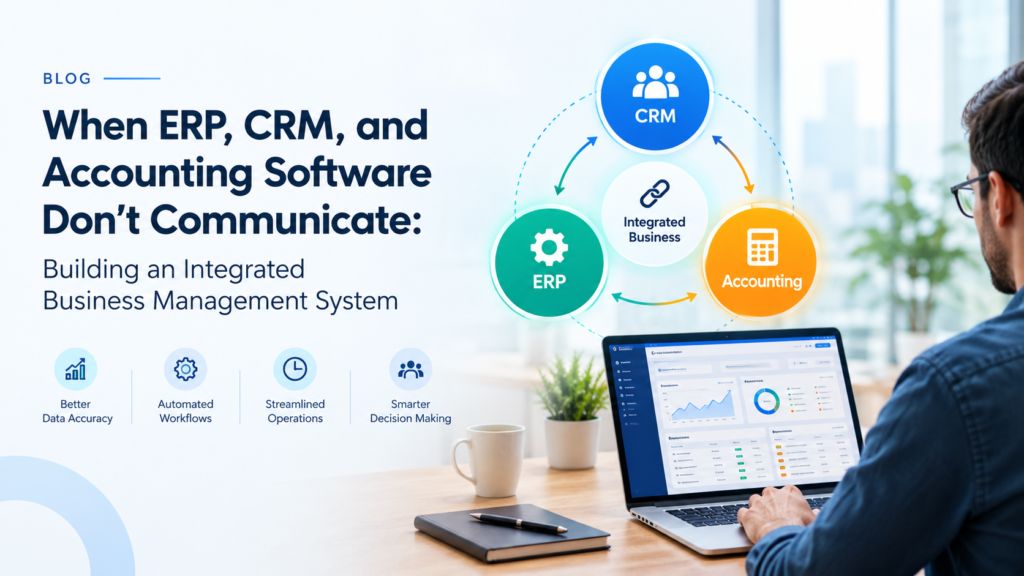
A CRM shows up first, usually because sales needs one. Accounting software comes next. Then, once the business has real inventory and production to track, an ERP joins the mix. Nobody sits down and plans this. It just happens, purchase by purchase, and each one solves a real problem at the time.
The issue shows up later. These systems don’t talk to each other. Arobit runs into this constantly with growing companies. The software itself is rarely broken. It’s the space between the systems that causes trouble.
Three systems, three versions of the truth
Here’s what happens in practice. The CRM has a client listed as “Mehta Traders Pvt Ltd.” The ERP has “Mehta Traders.” Accounting has both, plus a third entry someone created two years ago and forgot to delete.
Pricing drifts the same way. Sales approves a discount. Billing never finds out. Payment terms get updated in one system and stay frozen everywhere else.
Teams patch this manually. Export a file. Copy numbers into a spreadsheet. Send an email asking which number is correct. It works, until the business grows past a certain size. Then it stops working.
What this actually costs, day to day:
- Sales promises a delivery date based on stock numbers that are already wrong.
- An invoice goes out at the old price, because billing didn’t get the update.
- Closing the books takes nine days instead of three. Someone has to reconcile three exports by hand, line by line.
- Leadership meetings open with an argument about whose numbers are right.
That last one is the expensive one. The COO and CFO walk into a room with two different revenue totals. Twenty minutes disappear arguing about data. The actual decision waits. This happens enough times, and people just stop trusting the reports.
Why the quick fix doesn’t hold
The usual move is a nightly export, or a connector linking two platforms. Cheap. Fast to set up. Works fine, for a while.
Then something shifts. A vendor changes its API without much warning. A field gets renamed. A new product line needs a pricing rule the old connector can’t read. The person who built it left the company eighteen months ago, and nobody can explain the logic anymore.
Timing breaks things too. Picture a distributor syncing CRM and accounting every night at midnight. A customer calls at 4 p.m. with a rush order. Finance won’t see it until the next morning. The credit check never runs before the order ships. The sync worked exactly as designed. The process still failed.
Bad data makes it worse. One supplier spelled three different ways doesn’t magically become one company because a connector runs between two systems. Sync messy data fast enough, and you just get mess, faster. A few years of this, and the patches cost more to maintain than the original problem.
Higher stakes in regulated industries
Take a mid-sized manufacturer, say medical consumables or pharma packaging. Traceability isn’t optional here. Auditors want to know which raw material lot went into which batch. Who approved it. Which customer got the finished product.
Now picture the usual setup. ERP tracks lots. CRM holds customer records. Accounting stores invoices. Nothing reliably connects the three. A quality complaint lands on someone’s desk, and a recall question follows it. The team spends days pulling records from three different systems, matching them by hand.
In a regulated business, that delay isn’t just inconvenient. It’s a compliance risk. It can also damage a relationship that took years to build.
Other industries hit smaller versions of the same wall. Any question that crosses a system boundary turns into manual work. Who’s affected. What do we owe them. How exposed are we, really.
What actually connecting these systems looks like
Integration doesn’t mean throwing everything out for one giant platform. Some companies go that route, and it suits them. Plenty of others keep the tools their teams already know, and connect them through shared data that’s actually maintained properly.
A setup that works usually has a few things in common.
One master record for customers, products, suppliers, and pricing. Update it once, and it reaches every system. No second entry.
Workflows that follow the actual transaction. An approved quote creates the order. The order triggers purchasing or production. Billing follows automatically. Nobody retypes a number by hand.
Views built around each role. Finance, sales, and operations look at the same underlying numbers, just arranged differently for what they each need to see.
Audit trails that exist by default. Not something a team reconstructs three days before an audit, under pressure, hoping the numbers line up.
Back to the distributor example. A rep closes a deal in the CRM. The system checks stock in the ERP right then, confirms a delivery date. Pulls the customer’s credit status from accounting, same screen. Nobody emails finance to double-check anything.
Standard, off-the-shelf software doesn’t always fit how a business actually runs. When processes get specific or unusual, custom ERP software development services let a company build around its real operations, instead of bending the business to match a vendor’s template. People hear “custom” and assume it means slow and expensive. It doesn’t have to. Start with the two or three workflows causing the most pain. Fix those first. Expand from there.
Making it work without breaking everything
Good ERP software development starts with mapping the process, not writing code.
Walk one order from first inquiry through to final payment. Write down every single handoff. You’ll find steps nobody remembers adding, and approval stages that exist because of one mistake, years back, that everyone’s forgotten the details of.
Clean the data before anything goes live. It’s tedious. Teams skip it constantly. It’s also the single biggest factor in whether the project actually works.
Put one named person in charge of each data type. Skip this step, and duplicates come creeping back within a few months.
Bring in the people who use these systems every day. Leave finance out of the design conversations, and they’ll build their own workarounds. Those workarounds will outlive the integration project itself.
Phase the rollout. Trying to replace everything in one weekend is a near-guaranteed way to stall invoicing and upset customers.
Where things are headed
Real-time data flow is turning into the baseline expectation, not a competitive edge. Automation handles the routine stuff now: flagging low stock before it actually runs out, routing invoices for approval without someone chasing it down, warning a rep that a customer’s payment is overdue before the next call.
Forecasting gets better too, but only when the data underneath is actually consistent. Run sophisticated analytics on fragmented records, and what you mostly get is confident-sounding answers that are wrong.
Regulators keep raising the bar on traceability, across more sectors every year. In a connected system, that evidence comes out of normal daily work. In a disconnected one, it comes from a last-minute scramble.
Closing thoughts
Disconnected software rarely announces itself directly. It shows up as slow month-end closes, reports that contradict each other, and teams that quietly stop trusting the numbers in front of them.
Fixing it takes honest process mapping, clean data, and a partner who’s actually done this kind of work before. Arobit has spent years helping businesses bring scattered systems into one connected setup. The pattern holds across industries: the integrations that work best are the ones nobody talks about afterward, because everything just moves the way it’s supposed to.
FAQs
- How do I know if I need integration, or a full replacement?
If the tools themselves are fine and the pain sits in the handoffs between them, integration usually does the job. If the systems are outdated or just can’t reflect how the business actually runs anymore, replacement is worth a serious look. A short process review usually makes the answer pretty obvious. - How long does an integration project actually take?
Depends mostly on scope and how messy the data is going in. A focused project covering a handful of core workflows can come together in a couple of months. A full rebuild takes longer, sometimes a lot longer. Working in phases keeps the business running while it happens. - Will this disrupt day-to-day operations while it’s underway?
With real planning, not much. Run old and new processes side by side during the transition. Test with a small team before going company-wide. Roll out in stages. Most of the disruption in these projects comes from rushing, not from the integration itself.