The traditional desktop computer is no longer the only way to access powerful computing resources. Cloud technology allows a complete desktop environment to run on remote infrastructure, giving users access to computing resources without keeping all of the hardware physically at home.
A cloud based desktop can support everyday computing, professional applications, development, and gaming. For users interested in a cloud PC game experience, the same remote environment can provide access to gaming hardware without requiring a dedicated high-performance desktop.
What Is a Cloud Based Desktop?
A cloud based desktop is a virtual computer hosted on remote servers. Instead of the operating system and applications running entirely on a physical computer beside the user, they run within a cloud environment.
Users connect to the desktop through an internet connection and interact with it remotely. Depending on the provider, access may be available through a browser, desktop application, or dedicated remote-access software.
The cloud environment can include CPU, RAM, storage, and GPU resources based on the selected configuration.
How Can a Cloud Desktop Be Used?
Cloud desktops are not limited to one type of workload. A user may access the same environment for several different purposes.
Common applications include:
- Everyday productivity
- Remote work
- Software development
- Graphic and video applications
- Gaming
- Software testing
- Data-intensive workloads
- GPU-accelerated applications
This flexibility is one of the main differences between a general-purpose cloud desktop and a service designed exclusively for game streaming.
Using a Cloud PC for Gaming
A cloud PC game setup runs the game on remote hardware rather than processing the entire game locally.
The cloud computer handles the CPU and GPU workload, renders the game, and streams the resulting frames to the player’s device. Keyboard, mouse, and controller inputs are transmitted back to the remote computer.
This can allow users to access demanding games from devices that may not have a high-end gaming GPU.
However, cloud gaming relies heavily on network performance. Latency, connection stability, bandwidth, and server location can all affect responsiveness and image quality.
Cloud Desktop vs. Traditional Gaming PC
A traditional gaming PC performs game processing locally. The player owns the hardware and can upgrade components as needed.
A cloud desktop shifts the physical computing resources to a remote data center.
This can reduce the need for an expensive local gaming setup and may allow users to access a more powerful computer from multiple supported devices. The trade-off is that the experience depends on an internet connection and the availability of the cloud service.
For gamers, the choice therefore depends on hardware requirements, network conditions, budget, and how frequently the system will be used.
What to Consider When Choosing a Cloud Desktop
Not all cloud desktops have the same capabilities. Before selecting a provider, consider several factors.
CPU and Memory
The processor and RAM should match the applications you intend to run. Basic productivity requires considerably fewer resources than demanding games or professional applications.
GPU Resources
If you plan to use the desktop for gaming, 3D applications, rendering, or other graphics-intensive tasks, check whether a dedicated GPU is available.
Storage
Gaming and professional applications can require substantial storage. Check both capacity and performance before choosing a configuration.
Network Performance
Because the desktop is hosted remotely, a stable connection is essential. Low latency is particularly important for interactive workloads such as gaming.
Device Compatibility
Check which devices can access the cloud desktop. Depending on the service, this could include Windows PCs, Macs, laptops, browsers, or other supported platforms.
Pricing
Cloud desktop providers may offer monthly subscriptions, hourly access, or usage-based pricing. Compare the pricing model with your expected usage.
Cloud Gaming and Device Flexibility
One advantage of a cloud gaming setup is that the local device does not necessarily need to match the performance of the remote computer.
For example, someone with a lightweight laptop may use a cloud gaming environment when they want access to more demanding games. The laptop primarily receives and displays the streamed gameplay while the remote computer handles the heavy processing.
This can be particularly useful for users who want portability without carrying a large gaming desktop.
SensePC and Cloud Computing
SensePC provides cloud-based PC environments designed to give users access to remote computing resources.
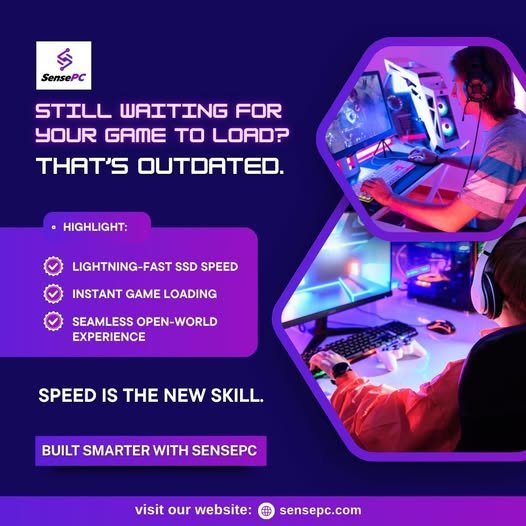
Depending on the configuration, a SensePC environment can support gaming, productivity, development, and other demanding applications. For gaming workloads, users can select resources appropriate for the games and applications they intend to run.
The broader benefit of a cloud PC is that it does not have to be limited to gaming. A single remote environment can potentially support multiple computing needs without requiring a separate physical machine for every workload.
Is a Cloud Based Desktop Right for Gaming?
A cloud based desktop can be a practical option for users who want access to capable computing hardware without purchasing a high-performance physical PC.
It is particularly worth considering when portability, flexible access, or avoiding frequent hardware upgrades is important. However, users should evaluate their internet connection before relying on cloud gaming.
Server location, latency, bandwidth, supported games, GPU resources, and pricing should all be considered before selecting a provider.
Final Thoughts
A cloud based desktop moves the computing environment away from a single physical machine and into remotely hosted infrastructure. This approach can provide flexibility for productivity, development, creative work, and gaming.
For users interested in a cloud PC game experience, remote hardware can provide access to gaming resources from supported laptops and other devices. The experience ultimately depends on both the cloud computer and the network connecting the player to it.
SensePC is one option for users exploring cloud-based computing and remote PC environments. By comparing hardware, access methods, what are some cloud gaming services network requirements, and pricing, users can determine whether a cloud desktop fits their personal gaming and computing needs.