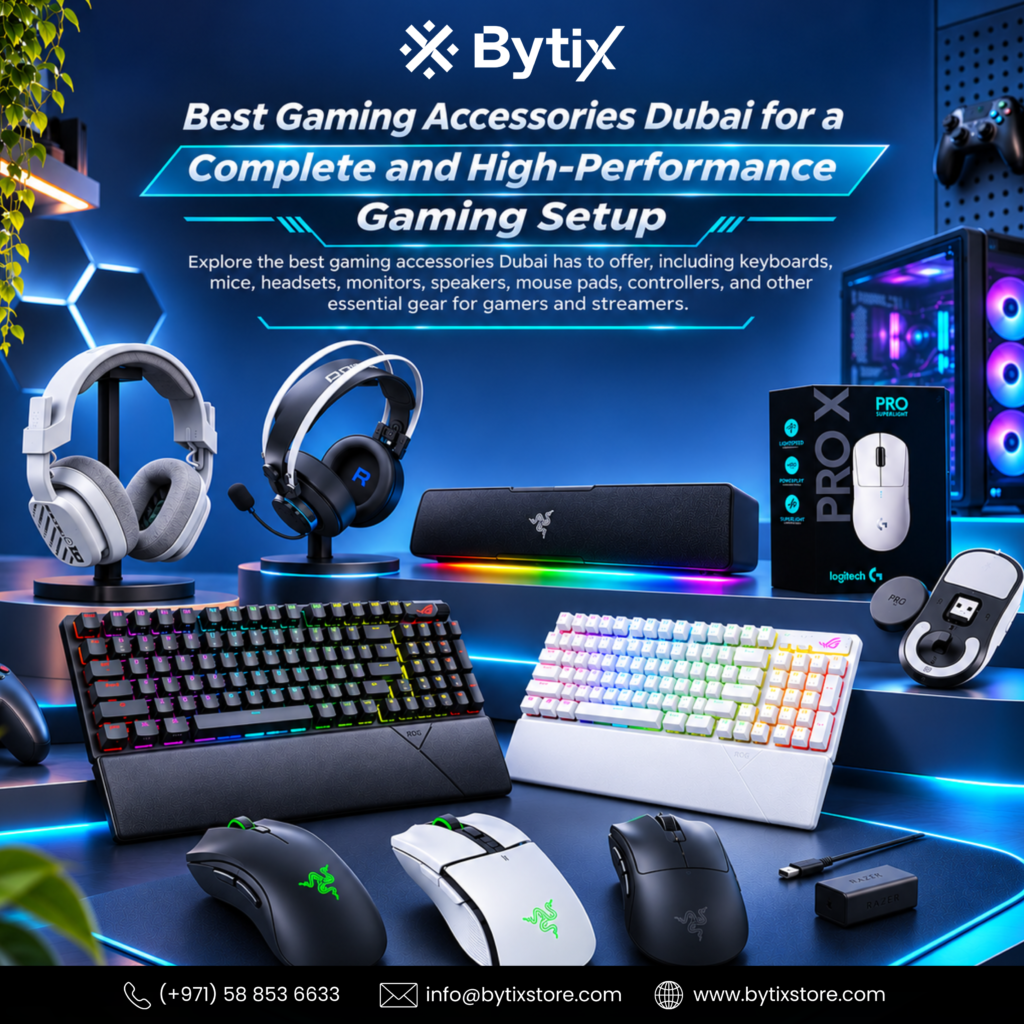
A great gaming experience isn’t just about having a powerful computer. Your keyboard, mouse, headset, monitor, speakers, controller, mouse pad, and other accessories can significantly affect how you play and interact with your games. The right accessories can make a gaming setup more comfortable, responsive, organized, and enjoyable. For gamers looking to build or upgrade their setup, finding the Best Gaming Accessories in Dubai has to offer can make the process much easier.
Gaming accessories come in many designs, features, and price points. Some are made for gamers who like to compete against other players, while some are made for gamers who prefer comfort, entertainment, streaming, or even just general PC use. Not everyone who likes to play video games needs the same kind of accessories.
It all comes down to knowing your needs before you buy. Don’t just buy accessories because they look good; think about how each one fits into your gaming setup.
Why Gaming Accessories Matter
Game accessories are simply the hardware that enables you to interact with your computer as well as games. The keyboard and mouse give you control, the monitor shows what’s happening, the headphones/speakers provide sound, and the chair and desk make up your gaming environment.
Appropriate peripherals complete an advanced gaming PC. An advanced gaming mouse helps the gamer maintain precise control, while a gaming keyboard improves movement and command execution. A high-refresh-rate monitor lets you use your enhanced graphics card efficiently.
The right accessories don’t have to be the most expensive. What matters is finding products that suit your gaming style, preferences, setup, and budget.
Start With Your Gaming Style
Before choosing accessories, consider the types of games you play. Different genres require different hardware.
Competitive gamers should focus on features like a responsive mouse, a fast keyboard, a high-refresh-rate screen, and good audio. Gamers who enjoy racing games might choose a gaming controller or steering wheel, plus good audio.
Streamers and content creators may need webcams, microphones, lighting, and additional equipment alongside their regular gaming peripherals.
Understanding your gaming style can help you decide where to spend your budget and which accessories deserve priority.
Choosing the Right Gaming Keyboard
The keyboard is one of the most-used accessories in a PC gaming setup. A suitable keyboard can make gaming more comfortable while also improving typing, browsing, and everyday computer use.
Gaming keyboards vary in switches and other features like layout, size, lighting effects, responsiveness, and extra controls. Some gamers prefer smaller keyboards, which leave more space for the mouse, while others want full-size keyboards with a number pad.
RGB lighting is also popular among gamers because it can complement a gaming desk’s look. However, lighting should not be the only factor you consider.
Think about how you play, how much desk space you have, and whether you also plan to use the keyboard for work or study.
Finding the Right Gaming Mouse
A gaming mouse is especially important in games that require quick movements. You will need a mouse that suits your hands and has controls that suit your gaming style.
Mouse shape, size, weight, sensor performance, buttons, connectivity, and customization options can affect your decision.
Competitive players may prefer a lightweight mouse for quick movement, while other gamers may prefer a larger design with extra buttons for shortcuts and commands.
Your grip style can also influence which mouse feels most comfortable. If possible, consider the physical shape and dimensions before purchasing.
Gaming Mouse Pads Are More Important Than They Look
A mouse pad provides a consistent surface for mouse movement and can complement your gaming desk’s design.
Gaming mouse pads come in different sizes, from compact surfaces for limited desks to large desk mats that provide space for both the keyboard and mouse.
The right size depends on your desk space and mouse sensitivity. People who use a low sensitivity setting may find a larger pad better suited to their needs.
A good mouse pad can also help keep the desk organized and create a more consistent gaming environment.
Choose the Right Gaming Monitor
The monitor is one of the most important parts of a gaming setup because it determines what you see while playing.
When selecting a gaming monitor, consider screen size, resolution, refresh rate, response time, panel type, connectivity, and compatibility with your graphics card.
Professional gamers will prefer fast refresh rates and response times, while those who play games with visual details will prefer resolution and color.
You should also consider your graphics card. A high-end monitor offers little benefit if your PC cannot deliver the performance needed to take advantage of it.
Gaming Headsets for Immersive Audio
Audio can play an important role in gaming. A good headset can help you hear dialogue, environmental sounds, music, and other audio details while also providing communication capabilities in multiplayer games.
When choosing a gaming headset, consider sound quality, microphone performance, comfort, connectivity, weight, and compatibility.
Comfort matters most if you play for several hours at a time. Look for a design that fits comfortably without creating excessive pressure.
Wireless headsets can provide greater freedom of movement, while wired models may be preferred by users who want a simple connection without charging.
Gaming Speakers for a Different Audio Experience
Not every gamer wants to wear a headset. Gaming speakers provide an alternative way to enjoy game audio, movies, music, and other content.
Speakers can be particularly useful for users who want their gaming setup to double as an entertainment system.
When choosing gaming speakers, consider their size, sound quality, connectivity, bass performance, desk space, and overall design.
RGB speakers can also complement other illuminated components in a gaming setup, although audio quality should remain a priority.
Controllers for PC Gaming
Although keyboard and mouse controls are ideal for many PC games, a controller can help in certain genres.
Racing games, sports titles, platform games, fighting games, and some action games can feel more natural with a controller.
A controller can also be useful if you connect your gaming PC to a larger display or television and prefer to play from a distance.
Before purchasing, check compatibility with your PC and the games you intend to play.
Gaming Chairs for Comfort
A gaming chair is an important part of your gaming setup. If you spend several hours at your computer, your chair should provide comfortable seating and proper support.
When comparing gaming chairs, consider the seat dimensions, backrest, cushioning, armrests, height adjustment, reclining function, materials, and overall construction.
The chair should also match your desk height and available space.
For gamers who also work or study from the same desk, a versatile gaming chair can serve multiple purposes and become an important part of the overall workstation.
Gaming Desks and Workspace Organization
The desk is the foundation of your gaming setup. It needs to provide enough space for your monitor, keyboard, mouse, speakers, PC, and other accessories.
A suitable gaming desk can also help with cable management and organization.
Before choosing a desk, consider how many monitors you use, whether your PC will sit on the desk or the floor, how much mouse movement you need, and whether you need extra storage.
A well-organized desk can make even a relatively simple gaming setup feel more professional.
Accessories for Gaming Streamers
Beyond standard gaming gear, streaming requires extra equipment. If you are into game production or streaming, you’ll need gear like microphones, webcams, lights, and more.
A good microphone can improve voice quality, while a webcam can help viewers connect with your content. Lighting can also improve the appearance of your camera feed.
Your gaming chair, monitor, keyboard, and other equipment may also appear on camera, so choosing accessories that complement one another can create a more consistent visual environment.
Consider Wireless Gaming Accessories
Wireless technology has become more popular among gamers. Devices such as wireless keyboards, mice, headsets, and others can help you avoid unnecessary cables.
However, wireless products require attention to battery life, charging, connectivity, and compatibility.
Wireless equipment can be especially appealing for creating an uncluttered gaming desk. If you want a more permanent solution without dealing with charging, wired gadgets might suit you better.
The best option depends on how you use your gaming environment.
RGB Gaming Accessories
RGB lighting has become a major part of modern gaming setups. Keyboards, mice, headsets, speakers, mouse pads, PC cases, and other accessories can feature customizable lighting.
RGB can help create a specific atmosphere and coordinate different parts of your gaming desk.
However, treat lighting as a design feature rather than the main measure of quality. Performance, comfort, compatibility, and build quality should remain important when selecting gaming accessories.
A good gaming setup can look impressive without requiring RGB lighting in every component.
Build Accessories Around Your PC
Your gaming PC should influence the accessories you choose. A powerful graphics card may make a high-refresh-rate or high-resolution monitor worthwhile. A powerful gaming system can also be paired with better audio equipment to create a more immersive experience.
At the same time, you don’t need to upgrade every accessory at once.
Start with the equipment that has the greatest impact on your gaming experience. For some users, that may be the monitor. For others, a mouse, keyboard, headset, or chair may provide a more noticeable improvement.
Consider Compatibility
Compatibility is an important factor when buying gaming accessories. Before purchasing, check whether the accessory works with your computer and operating system.
This is particularly important for controllers, wireless devices, RGB software, specialized peripherals, and accessories that require additional software.
If you are building a complete gaming setup, checking compatibility before ordering can prevent unnecessary returns and installation problems.
Buying Gaming Accessories Online in Dubai
Shopping online makes it easier to compare gaming accessories based on features, specifications, design, and price.
However, buyers should look beyond product photographs. Check dimensions, connection types, compatibility, supported platforms, warranty information, and included accessories.
It is also helpful to consider how the product will fit into your existing setup.
For example, a large mouse pad may look attractive but may not fit your desk. A large gaming headset may have excellent features but may not be comfortable for extended use.
Reviewing specifications before ordering can help you make a more practical decision.
Why Choose Bytix Store?
For customers looking for the best gaming accessories in Dubai, Bytix Store offers gaming products, PC components, computers, monitors, gaming chairs, office furniture, and other technology products for modern gaming setups.
Whether you are building a new gaming environment or upgrading an existing one, you can explore accessories that match your gaming style, performance needs, comfort preferences, and budget.
Bytix Store can also help customers build a complete setup instead of buying individual accessories without considering how they work together.
If you are unsure what to buy, share your PC specifications, preferred games, existing equipment, desk size, and budget. This can help narrow down suitable accessories for your setup.
Get Help Choosing the Right Accessories
With so many gaming products available, it can be difficult to determine which accessories are genuinely useful for your setup.
A good approach is to identify the equipment that currently limits your experience. If your mouse feels uncomfortable, upgrading it may be more useful than buying another accessory. If your monitor cannot take advantage of your graphics card, a display upgrade may provide a more noticeable improvement.
Likewise, if you spend long hours at your desk, a comfortable gaming chair may be a better investment than another decorative accessory.
Prioritize products based on how they affect your everyday gaming experience.
Create a Complete Gaming Environment
Design a gaming setup around the person using it. Your PC provides the performance, the monitor provides the visual experience, and your peripherals provide control and communication.
The desk and chair create the physical environment, while lighting and accessories contribute to the overall atmosphere.
You do not need to buy everything at once. Build your setup gradually and choose products that solve specific needs.
The right design can offer a more satisfying experience than a bunch of fancy but poorly coordinated add-ons.
Avoid Common Gaming Accessory Mistakes
A common mistake is buying parts because they look good. RGB lighting and gaming-centric looks may look cool, but they aren’t always necessary.
Another mistake is choosing products without checking compatibility. Always confirm that the accessory works with your PC and the software or platform you intend to use.
Buyers should also consider comfort. You may use a mouse, keyboard, headset, or chair for several hours, so ergonomics and fit matter.
Finally, avoid spending your entire budget on one category. A balanced gaming setup can provide a better overall experience.
Make the Right Choice for Your Setup
Finding the best gaming accessories Dubai has to offer starts with understanding your own gaming requirements. Think about the games you play, the equipment you already have, your available desk space, your comfort preferences, and your budget.
Then prioritize the accessories that can make the biggest difference.
Whether you need a gaming mouse, keyboard, monitor, headset, speakers, controller, chair, desk, or streaming equipment, choose products that complement your existing setup.
Conclusion
The ultimate gaming station isn’t always the one with the most accessories. Rather, it should be the gaming station where each gadget has its own role in the environment.
From keyboards, mice, monitors, headsets, speakers, controllers, gaming seats, desks, and streaming devices, accessories can help you interact with your games and computer.
If you are searching for the Best Gaming Accessories in Dubai, Bytix Store offers a range of gaming products and computer equipment for gamers, streamers, PC enthusiasts, and professionals across Dubai and the UAE.
Aiming to improve your gaming station? Tell Bytix Store about your PC hardware, favorite games, current accessories, setup requirements, and budget, and we’ll recommend gaming accessories that suit you. Contact us for more information.
Frequently Asked Questions
What are the most important gaming accessories?
The most important accessories depend on your gaming style. A gaming mouse, keyboard, monitor, headset, or controller can be essential depending on the games you play. A gaming chair and desk are also important for users who spend long hours at their setup.
How do I choose the best gaming accessories in Dubai?
Consider your gameplay habits, PC specifications, the types of games you play, your existing equipment, available space, comfort, compatibility, and your budget. Make sure the accessories you choose actually affect your gameplay.
Is a gaming keyboard necessary?
A regular keyboard can also handle gaming, but a gaming keyboard may have extra features like switch keys, enhanced controls, adjustable lights, etc. It all depends on you.
What should I look for in a gaming mouse?
Consider its shape, size, weight, sensor performance, buttons, connectivity, and comfort. Your grip style and the types of games you play should also influence your choice.
Do I need a gaming headset?
Gaming Headphones can help when you need immersive audio and voice chat. But if you prefer open audio, gaming speakers are an option.
Are wireless gaming accessories worth buying?
Wireless add-ons help minimize wire clutter and increase mobility. Battery life, charging, connectivity, and compatibility are some factors to consider when buying wireless devices.
Are RGB gaming accessories necessary?
No. RGB lighting is primarily an aesthetic feature. Consider performance, comfort, compatibility, build quality, and usability before focusing on lighting.
Should I buy a gaming chair with my other accessories?
If you spend many hours gaming or using your computer, an appropriate gaming chair is an important part of your setup. Here are some factors to consider.
Where can I buy gaming accessories in Dubai?
Bytix Store offers gaming accessories, PC components, computers, monitors, gaming chairs, furniture, and other technology products for customers across Dubai and the UAE.
Can Bytix Store help me choose gaming accessories?
Yes. Share your PC specifications, preferred games, existing setup, desired accessories, available space, and budget with Bytix Store to explore suitable gaming products for your setup.