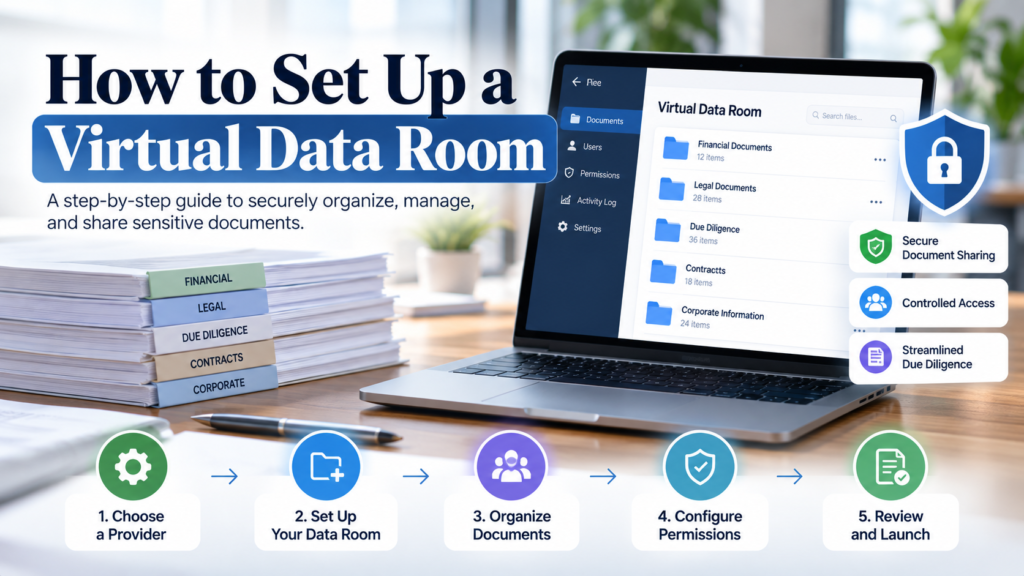
A virtual data room (VDR) is a secure online workspace used to store, organize, and share confidential business documents with controlled access. It is commonly used for M&A due diligence, fundraising, audits, legal reviews, real estate transactions, private equity deals, and other processes involving sensitive information.
Setting up a VDR involves more than uploading files. A proper setup requires a logical folder structure, consistent document organization, role-based permissions, user groups, security controls, and checks before external parties receive access.
1. Define the Purpose of the Data Room
Start by determining why you need the data room and who will use it.
The required documents and access rules depend on the transaction. An M&A data room may contain financial statements, contracts, tax records, employee information, intellectual property, litigation documents, and operational records. A fundraising data room may focus on financial projections, cap table information, corporate records, investor materials, and business information.
Before creating folders or uploading documents, establish:
- The purpose of the data room
- The parties that need access
- The documents required for review
- Documents that should be restricted initially
- The person responsible for administration
- Approval requirements for sensitive documents
This prevents the VDR from becoming an unstructured collection of files.
2. Choose a Suitable VDR Provider
Choose a VDR based on the requirements of the project, not simply the number of files it can store.
For transactions involving confidential information, useful capabilities include:
- Granular folder and document permissions
- Audit trails and activity reporting
- Bulk upload and document indexing
- Secure document viewing
- Download and print controls
- Watermarking
- Version control
- Q&A management
- User and group management
- Search and document viewing
- Secure archiving
- Responsive technical support
The interface also matters. Reviewers should be able to locate documents without extensive training. Pricing and storage limits should be reviewed alongside security and workflow features, particularly for projects that may expand during due diligence.
Before selecting a VDR provider, request a demonstration of the actual workflow. Check how administrators create groups, assign permissions, upload files, monitor activity, manage Q&A, and export the final archive.
3. Create the Data Room Folder Structure
A clear data room index makes due diligence easier because reviewers can locate information without repeatedly asking the deal team where documents are stored.
A typical M&A data room may include:
- Corporate Information
- Financial Information
- Tax
- Legal and Regulatory
- Commercial Contracts
- Customers and Suppliers
- Human Resources
- Intellectual Property
- Operations
- Real Estate and Assets
- Insurance
- Litigation
- ESG
- Transaction Documents
- Q&A and Supplemental Documents
The structure should be adapted to the transaction. For example, a real estate deal may require property-level folders for leases, title documents, valuations, environmental reports, and asset records.
Use consistent numbering and naming. Labels such as “01 Corporate,” “02 Financial,” and “03 Legal” make the index easier to scan. Avoid vague folders such as “Miscellaneous” or duplicate labels such as “Final,” “Final 2,” and “Final New.”
4. Prepare and Upload the Documents
Do not upload everything simply because it exists.
Review the available documents against the data room index and determine which files are relevant to the transaction. Identify missing documents before inviting external users.
Use a consistent naming convention. A useful format can include the document type, company or counterparty, date, and version.
For example:
- Audited Financial Statements FY2025
- Customer Agreement ABC Ltd 2026
- Board Minutes March 2026
- Lease Agreement New York Office 2025
Check for duplicate, outdated, or incorrectly named files before upload. Where the VDR supports version control, use it instead of creating multiple copies of the same document.
Bulk upload functionality can speed up the initial setup, but files should still be reviewed after uploading to confirm that they appear in the correct folders.
5. Create User Groups and Set Permissions
Access should be based on role and information requirements.
Common groups include:
- Internal deal team
- Management
- Legal advisors
- Financial advisors
- Buyers
- Investors
- Auditors
Permissions can determine whether a user can view, download, print, edit, or otherwise interact with a document. Some VDRs also support watermarked downloads, restrictions on inviting other users, and administrative controls.
Use the principle of least privilege: give each group only the access required for its role.
For example, an investor may need access to financial statements and corporate information, while an internal administrator may require broader access. Sensitive documents can be configured for view-only access where appropriate.
6. Test the Data Room Before Launch
Never assume that permissions are correct.
Create test users representing each major access group and verify exactly what each user can see and do.
Before launch, check:
- Folder structure
- File names
- Missing documents
- Duplicate files
- Document versions
- User groups
- Permissions
- Watermarks
- Download and print restrictions
- Q&A settings
- Audit logging
- User invitations
Testing from the user’s perspective can reveal both security problems and usability issues before external reviewers enter the data room.
7. Launch and Manage the VDR
Once the data room passes its checks, invite the relevant users.
Data room management continues throughout the transaction. Administrators may need to add documents, change permissions, invite new users, remove inactive users, answer Q&A requests, and monitor activity reports.
Keep the folder structure controlled. Ideally, one administrator or a small administrative team should approve structural changes. This reduces unnecessary folders, duplicate files, and inconsistent naming.
Activity reports can also show which documents are being viewed or downloaded and which users are accessing the room. Q&A should remain organized so questions reach the appropriate subject matter experts and answers remain consistent.
8. Close and Archive the Data Room
The VDR lifecycle does not end when the transaction closes.
At closure:
- Disable external access where appropriate
- Confirm which users should retain access
- Export relevant activity reports
- Preserve Q&A records
- Confirm the final document versions
- Archive transaction documents
- Check applicable retention requirements
- Store the final archive securely
For M&A transactions, the final archive may serve as a permanent record of the diligence and transaction process. It can also support future audits, compliance requirements, post-closing work, or legal reference.
Virtual Data Room Setup Checklist
Before launching a VDR, confirm that you have:
- Defined the purpose and users
- Selected an appropriate VDR provider
- Created the folder structure
- Reviewed and prepared documents
- Applied consistent naming and version control
- Created user groups
- Configured role-based permissions
- Set download, print, and watermark controls
- Tested every major access level
- Configured Q&A and activity reporting
- Reviewed the room before launch
- Established a closure and archiving process
A well-configured virtual data room gives every participant a clear path to the information they need while keeping confidential documents under controlled access. The key is to treat the VDR as part of the transaction workflow, not simply as online file storage.