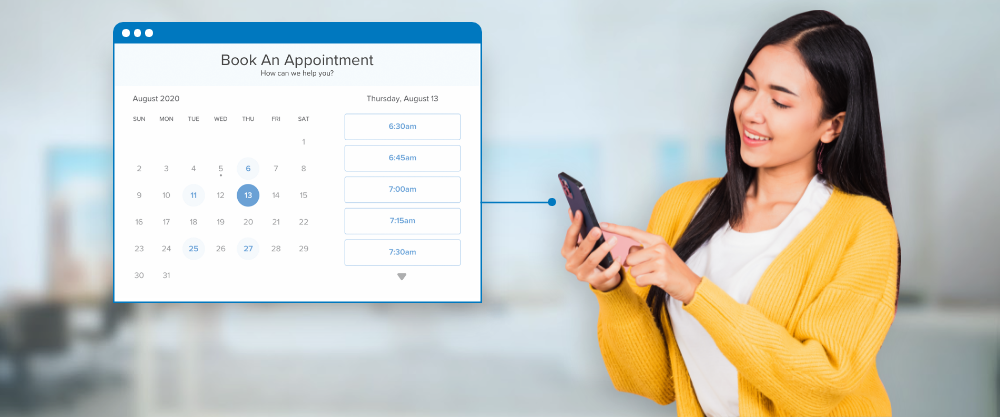
Running a service business involves many components that require constant attention. One of the biggest headaches involves managing bookings without double-booking or missing clients. Old ways like phone calls and paper diaries waste hours each week. This guide explores how online appointment scheduling helps businesses grow without adding stress.
Customers today want quick and easy ways to book your services. They want to see open slots and pick one without playing phone tag. A digital booking system gives them this ease while saving your staff time.
Stop Playing Phone Tag with Prospects
Phone bookings create a back-and-forth that frustrates both you and your potential clients. You call them, they miss it, then they call you back when you are busy. This cycle wastes minutes that add up to hours across a full week.
1. Book Instantly Without Waiting
Online appointment scheduling ends this dance by letting people book right away. Your staff stops playing messenger and starts focusing on work that brings in money. Customers love seeing open slots without waiting for a callback.
2. Pick Slots That Work
They can check their calendar and pick a time that works for their schedule. The system confirms the booking right away and sends a reminder before the meeting. This smooth process makes your business look professional from the first touch.
3. Integrate for Better Flow
This feature has been added to the service platform to improve user flow. A seamless booking experience often converts first-time visitors into paying customers.
Cut Down No-Shows and Last-Minute Cancellations
Empty appointment slots cost your business money and waste time you cannot get back. A client who does not show up means lost money and a gap in your schedule. Automated reminders sent by text or email greatly cut down these costly no-shows.
- Send auto reminders by text or email 24 hours before the booked time. Appointment scheduling software can ping clients on its own without any staff work.
- Set clear cancellation rules that apply on their own through the digital booking system. Clients see the rules before they confirm, so no one can claim they did not know.
- Cut down fights over fees because clients agreed to the rules when they booked online. This openness pushes people to show up on time.
- Guard your schedule from forgetfulness by automating the whole reminder process. A good system handles this without any manual work.
Free Up Your Staff for Better Work
Answering phones and typing bookings into a calendar eats up valuable staff hours. Your front desk person could spend that time helping existing clients instead. Online appointment scheduling automates the whole booking process from start to finish.
1. Let Clients Help Themselves
Clients help themselves, which cuts the workload on your front desk team. Your staff can point their energy toward tasks that move the business forward. The time saved from phone tag often pays for the booking system many times over.
2. Automate the Boring Stuff
Appointment scheduling software cuts down errors from tired workers typing too fast. No more missed bookings or double-booking the same time slot. Automation handles the boring stuff so your team can do what they do best.
Connect with Your Current Tools
A stand-alone booking system that does not talk to your other software creates issues. You want appointment scheduling software that links well with your calendar and customer tools. This link ensures that when a client books, your whole team sees the change right away.
- Sync with top calendars like Google Calendar or Outlook for live updates. No more confusion about whether a time slot is truly free.
- Link with field service tools so dispatchers see booked jobs and assign workers the right way. Your field service management software should link with the booking system.
- Wipe out data silos that cause mistakes, delays, and stress across your team. Linked tools stop this problem from happening.
- Share info without a hitch between your booking system, calendar, and customer list. A linked system makes your whole operation run smoothly.
Gather Useful Customer Data on Its Own
Every booking captures info that helps you know your clients better. The system records who books, when they book, and which services they pick. Online appointment scheduling builds a list of customer likes without any extra work.
1. Spot What’s Popular
You can spot trends like which services are most in demand and during which hours. This data guides smart choices about staffing, pricing, and ads. Appointment scheduling software turns raw booking data into useful business know-how.
2. Serve Customers Better
Knowing your customers helps you serve them better and grow your income. A booking system gives you the data you need to make smart picks. Data-driven choices beat guesses every single time.
Offer 24/7 Booking All Day and Night
Your business hours do not always match when customers want to make a booking. Many people look for services late at night or early in the morning. Online appointment scheduling works around the clock, catching bookings even when your office is shut.
- Catch bookings while you sleep because the system works 24/7. You wake up to a full calendar without lifting a finger.
- Seize spur-of-the-moment picks when customers are most driven to book. Someone who finds your website at 10 PM can grab a slot right then.
- Win over customers from rivals by offering the ease that phone-only shops cannot match. 24/7 booking gives you a clear edge.
- Add round-the-clock features as part of a full-service management tool. Never miss another booking because your office happened to be shut.
Cut Down Admin Errors and Double-Bookings
People make mistakes, especially when juggling many phone calls and calendar notes. One wrong keypress can book two clients for the same time slot. Appointment scheduling software stops these errors by showing only truly open slots.
1. Block Slots on Their Own
The system blocks off a slot on its own as soon as someone books it. Your team no longer needs to worry about colour-coding calendars. The digital system handles all the tricky bits behind a simple screen.
2. Focus on Giving Great Service
A clean, error-free schedule lets everyone focus on giving great service instead. Your team stops putting out fires caused by booking slips. The system manages scheduling, allowing your team to focus on serving customers.
Send Pro Reminders That Cut No-Shows
People lead busy lives and sometimes truly forget about bookings they made weeks ago. A friendly reminder can make the difference between a client showing up and staying home. Online appointment scheduling systems send auto reminders by email or text.
- Pick your reminder timing that works best for your type of business. Test different schedules to see which cuts no-shows the most.
- Put reschedule links in every reminder message for the client’s ease. This flexibility cuts down on no-shows because people can tweak their plans.
- Fill open slots fast because someone else can book the newly freed time. Your calendar stays full even when plans change.
- Boost your brand name with pro, steady talk that builds trust. Good talk separates pro shops from amateur ones.
Let Clients Reschedule and Cancel on Their Own
Clients like having control over their own bookings without calling your office. A self-service door lets them log in and move their booking to a different time. Appointment scheduling software with this feature cuts the load on your front desk team.
1. Let Clients Handle Changes
Customers handle their own changes without taking up your staff’s time. You can set rules that limit how close to the booking time changes are allowed. The system enforces these rules on its own without any fights.
2. Link with Field Service Tools
This self-service skill appeals to modern customers who like digital talk over phone calls. Self-service booking software for field service management makes for a better experience. Field workers get updates right away when clients change their bookings.
Grow Your Business Without Adding Staff
Growing a service shop usually means hiring more people to handle extra desk work. Appointment scheduling tech flips this model by automating tasks instead of adding people. Your current team can handle many more bookings because the software does the heavy lifting.
1. Grow Income Without Growing Payroll
This ability to scale lets you grow income without growing your payroll at the same rate. A small team with the right tools can beat a larger team using old ways. Appointment scheduling software levels the playing field, letting small shops act like big ones.
2. Use Automation to Grow
You can offer 24/7 booking, auto reminders, and self-service changes without a huge staff. Smart automation unlocks growth that would otherwise need many new workers. Field service management software gives you these skills. Work smarter, not harder, as you grow your customer base.
Conclusion
Using a digital booking system changes how your service shop runs each day. Online appointment scheduling ends phone tag and cuts down on no-shows by a lot. Your staff gains back hours once lost to manual booking tasks. Links with current tools make a smooth flow of info. Auto data gathering gives insights that guide smarter picks for growth. 24/7 reach grabs bookings when customers are most keen to buy. Slip-proofing and pro reminders build trust with your clients. Self-service picks give customers control while cutting down on your team’s needs. The ability to scale lets your shop grow without always adding desk staff. A new booking system has become a must for any service shop serious about smart growth.
Frequently Asked Questions
How much time does online appointment scheduling save my team each week?
Most shops save between 10 and 20 hours each week after switching from manual booking. Your staff stops playing phone tag and starts focusing on work that brings in money. The exact savings depend on your current booking volume.
Can appointment scheduling software link with my current calendar?
Yes, most new systems sync right with Google Calendar, Outlook, and other top tools. This link ensures your team sees live open slots across all devices. Check compatibility before buying to avoid link issues later.
What happens if a client books a time that my staff cannot cover?
The system only shows slots you mark as free ahead of time. You pick which services and staff members show up for each time block. This stops clients from booking times when no one can help them.
Is online appointment scheduling good for field service businesses?
Yes, most of all when paired with field service management software. Your mobile team can get booking updates right on their phones. Dispatchers can pair the right worker with each booking based on location and skills.