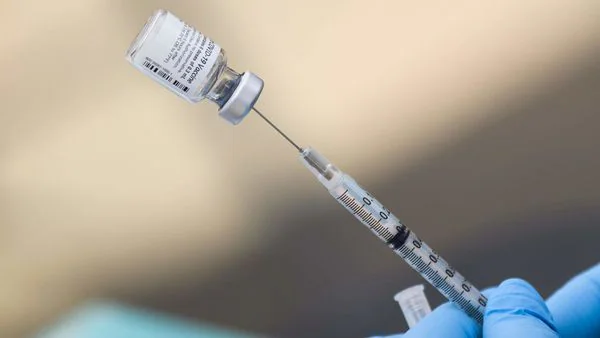
The CoWIN certificate is an essential digital document for individuals vaccinated against COVID-19 in India. It serves as proof of vaccination and is required for travel, workplace entry, and various official purposes. However, many beneficiaries face challenges when downloading or correcting errors in their vaccination certificates. This guide explains step-by-step how to download your CoWIN certificate and make corrections to details using your beneficiary ID. The process is straightforward, and knowing the right steps can save considerable time and hassle.
Understanding the CoWIN certificate and beneficiary id
Before proceeding with the steps, it’s important to understand key terms. The CoWIN certificate is an official vaccination record issued through the CoWIN platform. It contains personal details, vaccination dates, vaccine type, and the name of the vaccination centre.
The beneficiary ID is a unique identifier allotted to each vaccinated person on the CoWIN portal. It is mandatory for accessing the certificate, checking status, or raising correction requests. Found either on the SMS received post-vaccination or in your CoWIN account, the beneficiary ID is a 14-digit number linked to your vaccination record.
How to download the CoWIN certificate online
Downloading the CoWIN certificate is simple and can be done via the CoWIN portal or the UMANG app. Follow these steps:
Downloading via CoWIN.gov.in
- Visit the official CoWIN portal at https://www.CoWIN.gov.in.
- Click on ‘Search Vaccination Certificate’ from the homepage.
- Enter your beneficiary ID or registered mobile number.
- Submit the OTP sent to your mobile.
- Your vaccination certificate will appear on the screen.
- Click on the ‘Download’ button to save the PDF file to your device.
Downloading via UMANG app
- Open the UMANG app on your smartphone.
- Select the ‘Covid-19 Vaccination’ service.
- Choose ‘Download Certificate’.
- Enter your registered mobile number to receive an OTP.
- Enter the OTP to authenticate.
- Select the beneficiary (in case of multiple people linked to the same number).
- Tap on ‘Download Certificate’ and save the file.
Common issues with the CoWIN certificate
Errors in the vaccination certificate may include wrong name spelling, incorrect date of birth, vaccine name discrepancies, or missed vaccination dates. Such errors often arise from data entry mistakes at the vaccination centre or mismatches with Aadhaar information.
Downloading a certificate with errors will result in incorrect formal records, potentially causing problems during travel or other verifications. Therefore, prompt correction of any mistakes on the CoWIN certificate is crucial.
Process to correct details on the CoWIN certificate online
The CoWIN platform allows beneficiaries to request corrections for specific data points. It is important to note that some details like Aadhaar number cannot be changed by users directly online and might require support from the vaccination centre or helpline.
Steps to raise a correction request
- Visit the official CoWIN portal at https://www.CoWIN.gov.in.
- Log in using your registered mobile number and OTP.
- Click on the ‘Raise an Issue’ tab.
- Select ‘Certificate Correction’ from the list of issues.
- Enter your beneficiary ID for the certificate that needs correction.
- Choose the field that requires correction (e.g., name, date of birth).
- Upload supporting documents where applicable (such as Aadhaar copy, government ID).
- Submit the correction request.
After submission, the request will be verified by the authorities, a process that typically takes 3 to 7 working days. You will receive updates on the status via SMS or email.
Important points to remember for correction
– Use the exact spelling and format as per official documents for corrections.
– Upload clear, legible scanned copies or photos of your ID proof.
– Ensure the mobile number linked to the beneficiary ID is accessible to receive OTPs and updates.
– If the request is rejected or delayed, contact the vaccination centre or the CoWIN support helpline for assistance.
Alternative ways to correct certificate details
In cases where online corrections are not possible, visiting the vaccination centre may be necessary. The centre staff can update your details in the system after verification of original documents. Alternatively, Indian citizens can call the CoWIN helpline at 1075 for guidance and support.
Tips to avoid issues with CoWIN certificate details
– Verify your details carefully at the vaccination centre before and after vaccination.
– Always use Aadhaar or Government ID registered with CoWIN for booking slots.
– Keep your registered mobile with you to get instant OTPs.
– Download and check your CoWIN certificate soon after vaccination to detect any errors early.
Summary
The CoWIN certificate is a vital document proving your COVID-19 vaccination status. Using your beneficiary ID, you can easily download the certificate online or on the UMANG app. Should you find any errors or inconsistencies, the CoWIN platform offers a clear procedure to request corrections by submitting necessary proofs. Promptly correcting details ensures your certificate is accurate and legally valid for all essential uses.
In conclusion, understanding the steps to download or correct your CoWIN certificate using the beneficiary ID will help safeguard your vaccination record. Make sure you follow official procedures and use authentic documents to avoid complications. This not only protects your health data but is also critical for smooth clearance in travel, work, or public access scenarios. Keep your vaccination certificate updated and accessible to ensure full benefits under government COVID-19 protocols.