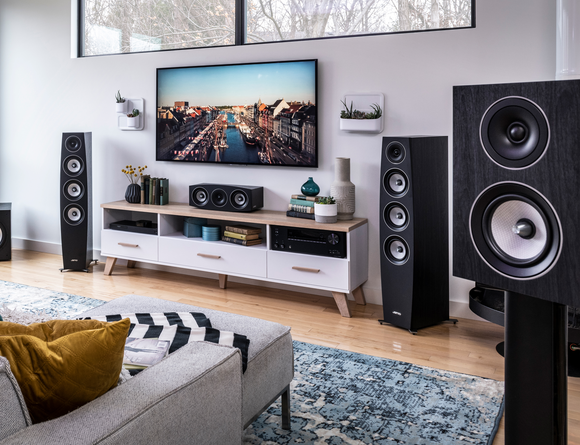
A flawless cinematic experience isn’t just about investing in a high-end projector or a premium sound system. The unsung hero of your setup is the projector screen itself. When functioning optimally, it delivers crisp visuals, vibrant colors, and a truly immersive viewing experience. However, even the most advanced projectors can underperform if the screen is compromised.
If your movie nights feel less engaging or your presentations lack visual clarity, the issue might not be your projector—it could be your screen demanding immediate attention. Understanding the warning signs early can save you from costly replacements and ensure your system performs at its peak.
Why Your Projector Screen Matters More Than You Think?
A projector screen is not just a blank surface—it is engineered to reflect light evenly, enhance contrast, and preserve color accuracy. Any damage, distortion, or wear directly impacts how light is distributed, ultimately degrading image quality.
Over time, environmental factors like dust, humidity, and physical stress can deteriorate the screen material. This is where projector screen repair becomes essential to restore performance without replacing the entire system.
- Visible Wrinkles and Waves on the Screen
One of the most obvious signs of a failing projector screen is the appearance of wrinkles, creases, or waves. These imperfections disrupt the uniform reflection of light, causing distorted images and uneven brightness.
What Causes It?
- Improper storage or installation
- Fluctuating temperature and humidity
- Wear and tear in retractable screens
Why It Matters?
Even minor surface inconsistencies can lead to shadowing effects and warped visuals, particularly noticeable during high-definition playback.
Solution: Professional projector screen repair can often re-tension or smooth out the material, restoring a flat and consistent surface.
- Discoloration and Yellowing
A projector screen should ideally maintain a neutral white or gray tone. If you notice yellowing, dark spots, or uneven discoloration, your screen is no longer accurately reflecting colors.
Common Causes:
- Prolonged exposure to sunlight
- Dust accumulation and poor maintenance
- Aging screen material
Impact on Viewing Experience
Discoloration alters color balance, making whites appear dull and colors less vibrant. This is particularly problematic for home theaters and professional presentations where color accuracy is critical.
Solution: Cleaning may help in mild cases, but severe discoloration often requires projector screen repair or partial material replacement.
- Loss of Brightness and Dull Image Output
If your projector seems less bright than usual despite functioning properly, your screen could be absorbing light instead of reflecting it.
Signs to Watch:
- Washed-out visuals
- Reduced contrast
- Lack of sharpness
Root Causes:
- Surface degradation
- Dirt or residue buildup
- Aging reflective coating
Why Immediate Action Is Important?
Ignoring this issue can lead to unnecessary upgrades of your projector, when the real culprit is the screen itself.
Solution: Searching for home theater services near me can connect you with professionals who can diagnose whether cleaning or projector screen repair is needed.
- Stains, Spots, and Surface Damage
Stains from spills, fingerprints, or environmental pollutants can create visible spots that disrupt image clarity.
Typical Issues:
- Water stains
- Oil or grease marks
- Dust patches
Effect on Performance
These imperfections create localized distortions, making certain areas of the image appear darker or blurred.
Solution: While minor stains can be cleaned carefully, deep or persistent damage requires expert projector screen repair to restore uniformity.
- Screen Curling at the Edges
Edge curling is a common issue, especially with pull-down or motorized screens. Over time, the edges begin to curl inward, creating a concave viewing surface.
Causes:
- Material fatigue
- Improper tension
- Environmental conditions
Impact
Curling leads to geometric distortion, making straight lines appear curved and images look unnatural.
Solution: Professional technicians offering home theater services near me can re-tension or replace edge components to fix the issue effectively.
- Mechanical Failures in Motorized Screens
If you’re using a motorized projector screen, mechanical issues can significantly affect usability and alignment.
Warning Signs:
- Uneven rolling or unrolling
- Strange noises during operation
- Screen getting stuck midway
Why This Matters?
Mechanical failure can worsen surface damage and lead to misalignment, further affecting image projection.
Solution: Timely projector screen repair ensures that both the mechanical and visual aspects of your screen remain in optimal condition.
- Uneven Texture or Surface Wear
Over time, the screen surface may develop an inconsistent texture due to aging or improper cleaning techniques.
Indicators:
- Rough patches
- Peeling or flaking material
- Uneven light reflection
Consequences
An uneven surface scatters light irregularly, leading to poor image sharpness and clarity.
Solution: Professionals specializing in home theater services near me can assess whether resurfacing or repair is viable.
When Should You Act?
Delaying repairs can compound the problem. Minor defects often escalate into irreversible damage, requiring complete screen replacement.
Act Immediately If You Notice:
- Multiple visual defects simultaneously
- Rapid deterioration in image quality
- Mechanical issues affecting screen alignment
Prompt projector screen repair not only restores performance but also extends the lifespan of your entire setup.
Repair vs. Replacement: What’s the Smarter Choice?
Many users assume that replacing the screen is the only solution. However, in most cases, repair is more cost-effective and environmentally responsible.
Choose Repair If:
- Damage is localized
- The frame and structure are intact
- Mechanical components are salvageable
Consider Replacement If:
- The screen is severely aged
- Damage is widespread
- Repair costs exceed replacement value
Consulting experts through home theater services near me can help you make an informed decision based on your specific setup.
Preventive Maintenance Tips for Long-Term Performance
Prevention is always more economical than repair. Maintaining your projector screen properly can significantly extend its usability.
Best Practices:
- Clean the screen with manufacturer-approved materials.
- Avoid direct sunlight exposure.
- Maintain stable room temperature and humidity.
- Handle retractable screens gently.
- Schedule periodic inspections.
By incorporating these habits, you can reduce the frequency of projector screen repair and maintain optimal image quality.
The Hidden Cost of Ignoring Screen Issues
Neglecting screen problems doesn’t just affect visuals—it impacts your overall experience and investment.
Potential Consequences:
- Reduced lifespan of your projector
- Increased energy consumption
- Poor viewing or presentation quality
- Higher long-term costs
A compromised screen undermines the performance of even the most advanced systems, making timely projector screen repair a strategic necessity rather than an optional fix.
Final Thoughts
Your projector screen plays a pivotal role in delivering a seamless visual experience. While it often goes unnoticed, its condition directly influences image clarity, brightness, and color accuracy. Recognizing early warning signs—such as wrinkles, discoloration, or mechanical issues—can help you address problems before they escalate.
If your visuals feel off despite having a high-quality projector, it’s time to evaluate your screen. Seeking professional home theater services near me ensures accurate diagnosis and reliable projector screen repair, helping you restore the cinematic brilliance you originally invested in.