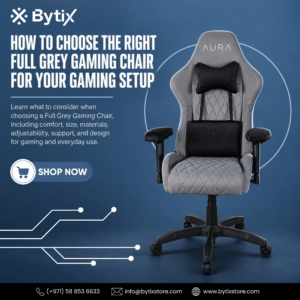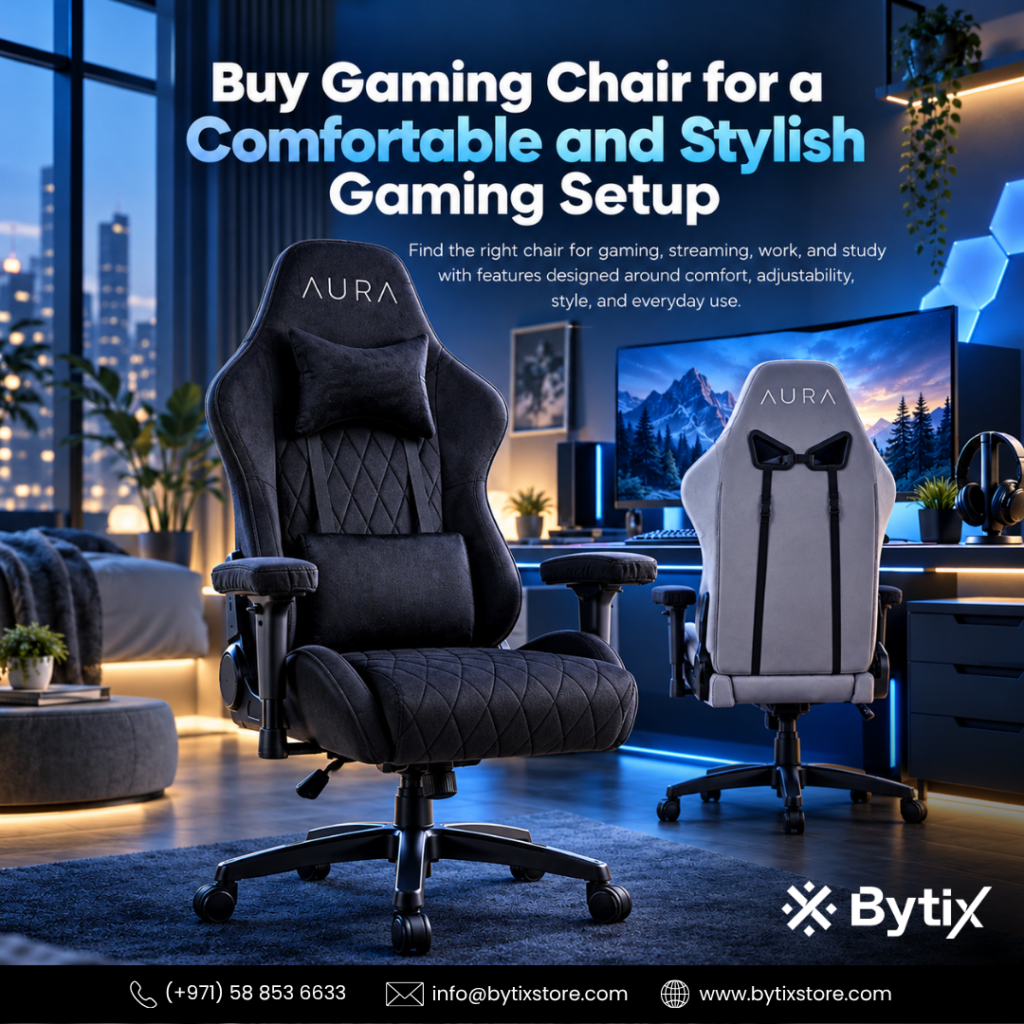
Beyond a good computer, monitor, and other equipment, the gaming station should include a comfortable chair. Your chair choice will determine whether your gaming station feels comfortable enough. No matter what you do at your PC in your leisure time, whether you’re playing games, streaming online, working, or studying, the right chair can make your gaming station more comfortable. If you are planning to Buy Gaming Chair, it is worth understanding the features that matter before making a decision.
Gaming chairs exist in various forms. Some gaming chairs may concentrate on appearance, while others emphasize adjustability, comfort, and flexibility. Choose the gaming chair that best suits your height, desk, space, gaming frequency, and preferences. You don’t need to buy the best-looking gaming chair.
Why a Gaming Chair Matters in a PC Setup
People generally use gaming chairs longer than other home seating. A single gaming session is often longer, and you may use the same chair for work, study, movies, browsing, and socializing with friends.
Comfort becomes an essential aspect. A good chair should fit your body and be flexible enough to let you sit in the right position for the task. Features such as height adjustment, recline, backrest support, a comfortable seat cushion, and proper armrests help you sit comfortably while using the computer.
The chair should also complement the other components of your workstation. Your desk height and the placement of your monitor, keyboard, and mouse also affect comfort.
Start by Understanding Your Requirements
Before you Buy Gaming Chair, think about how you will use it. A competitive gamer may have different priorities from someone who spends equal time gaming and working.
If you play for several hours every day, you may prioritize cushioning, backrest design, adjustability, and arm support. A streamer may want a chair that also looks good on camera, while someone working from home may prefer a more understated design that fits naturally into a professional workspace.
Height and body size should also be taken into account. Gaming chairs aren’t standardized, and their dimensions can vary significantly. Height and weight ranges can help narrow your choices.
Choose the Right Chair Size
Chair dimensions are among the most important specifications to check before purchasing. Look at the seat width, seat depth, backrest height, overall height, and weight capacity.
If the chair is too small, it will feel constricting, while one that is too large may not fit you welle chair should allow enough movement without taking up extra space.
If you are shopping online, do not rely entirely on photographs. Compare the listed measurements with your needs and the space around your desk.
This simple step can help you avoid choosing a chair that looks suitable online but does not fit your body or workstation comfortably.
Adjustable Height Makes a Difference
Each desk varies in height depending on its type and brand. Moreover, people have different body types and postures. A height-adjustable chair helps accommodate both the keyboard and mouse comfortably, so you don’t have to strain to reach them. The computer screen should also be visible to you from your desk position.
As you compare your options, consider the chair’s adjustable range. The greater the adjustment range, the better, but the right range varies from person to person.
Look at the Backrest Design
The backrest is another major consideration when choosing gaming furniture. Different designs provide different levels of coverage, cushioning, and support.
A higher backrest suits those who need more coverage, while a bent backrest may be better for others because it adds strength. It all depends on personal preference.
Suppose you prefer an upright position while gaming or working, look for a design that feels comfortable in that position. If you like to relax between sessions, a reclining mechanism may be useful.
Reclining Features Add Flexibility
One benefit of many gaming chairs is the ability to recline the backrest. This lets you change your position throughout the day instead of staying upright all the time.
An upright setting works well for gaming, typing, studying, and working, while a more relaxed angle suits watching videos or taking a break.
Before purchasing, check the actual reclining range and how the adjustment mechanism works. More adjustment is not automatically better if you do not intend to use it.
Pay Attention to Armrests
Armrests can influence how your arms and shoulders feel while using a keyboard or mouse. Depending on the design, they may be fixed or adjustable.
Adjustable armrests offer more flexibility because you can position them to match your desk and preferred seating position. However, they should also work with your workstation.
If the armrests are too high or wide, they may prevent the chair from moving close enough to your desk. So, consider both the chair and desk dimensions before purchasing.
Select Suitable Materials
The material used to cover a gaming chair can affect its look, texture, ease of cleaning, and comfort. Examples include synthetic leather and fabric.
Two materials are commonly used for gaming chair upholstery: synthetic leather and fabric. Synthetic leather gives the gaming chair an elegant look and is easy to clean.
Your surrounding environment can also impact your decision-making. Consider ventilation, cooling, and how hot your game room will get after hours of gaming.
No one material is ideal for everyone. It depends on what suits you best and how you’ll use the chair.
Match the Chair With Your Desk
Choose a gaming chair as part of your entire workstation. Even a comfortable chair can be inconvenient if it doesn’t work well with your desk.
Check your desk height and the chair’s adjustment range. Make sure the armrests fit comfortably under or around the desk when you need them.
Also consider the space behind and beside your workstation. A reclining chair may need extra clearance, while a large five-wheel base may require more floor space than a compact model.
Measuring the area before ordering can help you create a more practical setup.
Consider Your Gaming Style
The games you play may determine the kind of chair you buy. Casual gamers need more relaxed chairs, while competitive gamers need comfortable, upright chairs.
Content creators such as streamers may opt for visually appealing chairs to suit their camera background. Gamers who play on their computer during work may choose a chair that suits both.
The best chair isn’t necessarily the one with the longest feature list. It is the one that fits the way you actually use your computer.
Gaming Chairs for Work and Study
Gaming chairs are not limited to gaming. Many people use their computer workstation for several activities throughout the day.
A suitable model works for remote work, online meetings, studying, programming, browsing, watching videos, and entertainment. If you spend most of your day at a desk, features such as adjustable height, comfortable cushioning, arm support, and reclining flexibility may be particularly useful.
For shared workspaces, a versatile design can also make the room feel less like a dedicated gaming area and more like a modern computer workspace.
Think About the Size of Your Room
Consider the available space before you Buy a Gaming Chair. Gaming furniture can vary significantly in size, and some models have large bases and wide backrests.
Measure the area where you plan to place the chair. Consider how far it needs to move away from the desk and whether the backrest needs additional space when reclined.
If you’re in a bedroom, apartment, or compact home office, choose a model that fits comfortably in the available space so the room doesn’t feel crowded.
Choose a Style That Matches Your Setup
Appearance is important for many gamers. A chair can become one of the most noticeable pieces of furniture in a gaming room.
Black, grey, and other neutral designs complement a wide range of PC setups, while contrasting colors create a more distinctive gaming environment. When choosing colors and designs, consider your desk, PC case, monitor, lighting, and other peripherals.
A coordinated system can look much more organized and professional without requiring every element to match.
RGB and Gaming Aesthetics
Modern gaming environments often include RGB lighting across the PC, keyboard, mouse, monitor accessories, and room lighting. A gaming chair can complement this visual style.
However, don’t let this be the only guide. While some RGB elements and good design may appeal to you, they can’t replace functionality like size, comfort, adjustability, and compatibility with your desk.
Start with functionality, then choose a design you like.
Don’t Choose Based Only on Price
Price matters, but it shouldn’t be your only consideration. A cheaper chair might meet all your needs, while a more expensive one may include features you won’t use.
Compare materials, dimensions, adjustment features, construction, weight capacity, design, and intended usage.
Consider how often you will use the chair. Someone who spends a few hours at a computer each week may have different priorities than a gamer who uses the chair every day.
The goal is to find the best combination of useful features and value for your specific requirements.
Buying a Gaming Chair Online
Online shopping gives you access to a wide range of gaming furniture, but you often can’t physically test the chair before ordering.
That’s why product specifications are so critical. Check things like dimensions, material, weight capacity, adjustability, recline features, armrests, assembly, and more.
If you’re unsure about the right size for a specific chair model, talk to the manufacturer before you buy. Your height, desk size, desired design, and intended use can help you choose the right option.
Why Choose Bytix Store?
For customers looking to buy a gaming chair in Dubai and across the UAE, Bytix Store offers gaming furniture alongside PC components, monitors, gaming accessories, computers, and other products for modern gaming environments.
Access to multiple categories makes it easier to build a complete workstation. Instead of choosing a chair on its own, you can consider it alongside your desk, monitor, computer, keyboard, mouse, headset, and other equipment.
If you are not sure which chair will suit you, let Bytix Store know your needs. We’ll consider your height, available space, desk size, preferences, and budget to find the most suitable chair for you.
Create a More Comfortable Gaming Environment
A gaming chair alone doesn’t make the perfect workstation. Many other factors come into play, including monitor positioning, desk height, keyboard placement, mouse area, lighting, and cable management.
Position your equipment naturally and adjust your chair to your preferred seating position.
Small workspace changes can make it easier to switch between gaming, work, studying, and entertainment.
Upgrade Your Setup Step by Step
You don’t need to upgrade your entire gaming setup at once. If your PC and accessories deliver the performance you need, a new gaming chair is a sensible upgrade.
Later, you can upgrade your desk, monitor, keyboard, mouse, headset, lighting, or other accessories based on your priorities.
This approach lets you improve your setup gradually while keeping spending under control.
Common Mistakes to Avoid
The first mistake is choosing a chair solely based on how it looks in photos.
Second, you may overlook the chair’s maximum weight capacity and ideal body measurements.
Buyers often don’t take measurements before ordering. A large chair can be great, but if your office space is small, it can be problematic.
Lastly, don’t assume that because a chair is expensive, it must be the best choice. Choose one according to your requirements.
Make the Right Choice Before You Buy
The right gaming chair should fit your body, desk, room, gaming habits, and budget. Taking time to compare these factors can make the buying process considerably easier.
Start with your measurements and intended use. Then compare suitable products based on adjustability, materials, backrest design, armrests, reclining functionality, appearance, and available space.
If you are still unsure, ask a specialist for guidance and provide as much information about your setup as possible.
Final Thoughts
A gaming chair could also be one of those items you need in your current PC setup,, especially if you spend a lot of time gaming, working, studying, live streaming, or creating content. There’s so much to consider before settling on the right chair for you.
Suppose you plan to Buy a Gaming Chair, Don’t choose based only on appearance or price. Consider your body size, desk height, room dimensions, intended usage, preferred features, and overall budget.
Bytix Store offers gaming chairs, computers, PC components, monitors, gaming accessories, and more for customers in Dubai and across the UAE.
Planning to upgrade your gaming chair? Tell Bytix Store your preferences for the type of chair you want, its height, desk dimensions, available space, budget, and intended use. Contact Us for more informations.
Frequently Asked Questions
What should I consider before buying a gaming chair?
Consider your height, weight, seat size, cushioning, upholstery, adjustable height, armrests, reclining capabilities, compatibility with a desk, available space, and affordability. How you use the chair will also matter.
Is a gaming chair suitable for working from home?
Yes. Many gaming chairs work well for work, studying, online meetings, streaming, browsing, and other computer activities. Look for a versatile model with features that suit your daily routine.
How do I choose the correct gaming chair size?
Check the wheelchair’s recommended height and weight range, plus the seat width, seat depth, backrest height, and overall dimensions. See if these fit your needs.
Are adjustable armrests useful?
Adjustable armrests offer more flexibility in positioning your arms relative to your desk and keyboard. However, make sure the armrests also fit comfortably with your workstation.
Is a reclining gaming chair worth buying?
A reclining mechanism can be useful if you want to switch between gaming, working, watching videos, and relaxing. The ideal reclining range depends on your personal preferences.
Which gaming chair material should I choose?
Artificial leather and artificial fabric are two possibilities. Your choice may depend on looks, feel, ease of cleaning, room environment, ventilation, and personal preference.
Can a gaming chair fit in a small room?
Yes, but check the chair’s dimensions and available floor space first. Also consider the space required for movement and reclining.
Should I choose a gaming chair based on price?
Consider price alongside dimensions, materials, adjustability, construction, features, and intended use. The most expensive option is not necessarily the best choice for every user.
Where can I buy a gaming chair in Dubai and the UAE?
Bytix Store offers gaming chairs, gaming furniture, PC components, monitors, accessories, and other computer products for customers in Dubai and across the UAE.
Can Bytix Store help me choose a suitable gaming chair?
Yes. Share details such as your height, desk dimensions, available space, preferred design, required features, usage, and budget so we can identify suitable options for your gaming or computer setup.