Every tax season, the same story repeats. Stacks of W-2s, 1099s, bank statements, and receipts arrive in every format imaginable, and someone has to type it all in.
That grind is exactly where AI tax software is gaining ground. This guide explains what the technology actually does, where it falls short, and how to compare tools without getting lost in marketing claims.
What Is AI Tax Software?
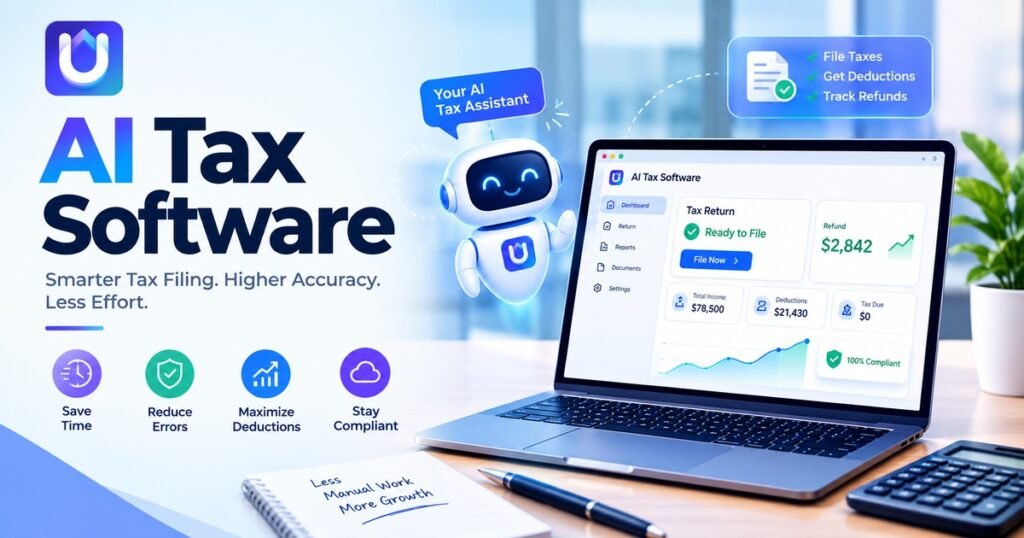
AI Tax Software the system recognizes documents with the aid of machine learning technology and fills in all relevant tax-related details.
Traditional tax programs use a set of defined rules when processing your input — an AI tax program introduces an extra layer of intelligence that allows it to identify different types of forms while simultaneously recognizing discrepancies and how best to correct them.
How AI Tax Software Works
Most platforms follow a similar path, even if the interface looks different.
- Document intake. You upload PDFs, scans, or photos of tax documents.
- Data extraction. The software reads each document and captures key figures such as wages, interest, and deductions.
- Cross-checking. It compares numbers across forms and prior-year returns to spot gaps or mismatches.
- Draft preparation. The tool fills in return fields and highlights items that need a human decision.
- Review and filing. A professional checks the work, corrects anything unusual, and files.
The review step is the most important one. AI is good at speed and pattern matching. It is less reliable with unusual situations, so human judgment stays in the loop.
Why Firms and Small Businesses Are Paying Attention
Tax preparation is time-sensitive and detail-heavy. Even small time savings add up across dozens or hundreds of returns.
Here are the benefits most often cited:
- Less manual entry. Fewer hours spent retyping numbers means fewer typos.
- Faster turnaround. Drafts are ready sooner, which frees up time for advisory work.
- Better consistency. Automated checks apply the same standards to every file.
- Capacity during busy season. Teams can handle more clients without adding stress.
such as the share of accounting firms using automation or the average hours spent on data entry per return.
Features to Look for in AI Powered Tax Software
Not every tool is built the same. Before you request a demo, use this checklist.
- Accuracy and review tools. Look for clear flags, audit trails, and easy ways to correct extracted data.
- Security. Ask about encryption, access controls, and how client data is stored. Tax files hold sensitive information.
- Integrations. Check whether it connects to your accounting, document, or IRS e-filing tools.
- Support for your return types. Individual, business, and multi-state returns can behave very differently.
- Transparent pricing. Watch for per-return fees, seat limits, and add-on costs.
- Training and support. A good tool is easier to adopt when real people answer questions.
One example in this space is UpTax, a platform that applies AI to tax preparation workflows for CPA and EA firms. Whatever tool you consider, test it against the checklist above.
Choosing the Best AI Tax Software for Small Business
Small businesses have other requirements from the larger companies. You do not have the luxury of having an internal accountant, and your books might be clear one month and chaotic the next.
Start with three questions:
- Will you use it yourself, or will your accountant use it for you?
- How many entities, states, and income types do you need to cover?
- Does it work with the bookkeeping tool you already use?
Then run a small trial. Upload a prior-year return and see how well the software reads it. If it misses details or needs constant fixing, that tells you more than any sales page.
Limits and Risks to Keep in Mind
AI tools can misread a blurry scan or misclassify an unusual expense. Tax law also changes each year, so software needs regular updates to stay current.
Privacy matters as well. Review where your data is stored and who can access it. If a vendor is vague about security, treat that as a warning sign.
Final Thought
When you choose AI tax software, make sure to pick the right one for your needs and take advantage of its capabilities with a skilled accountant.
Also remember that while an AI-powered platform can help, there’s no substitute for having a qualified pro handle your final tax return.
Also reads about: https://xuzpost.com/what-is-up-tax-read-this-before-you-choose-a-tool/
Frequently Asked Questions
What is AI tax software?
It is an application software that uses machine learning to scan through tax documents, extract information from them, and create drafts for tax returns.
Is AI tax preparation software accurate?
The accuracy rate depends on the product used and the cleanliness of the source documents.
Can AI tax software replace a CPA?
Absolutely not. It increases efficiency in repetitive tasks, but tax planning and decision-making fall in the category of an enrolled professional.
Is tax software AI safe for sensitive data?
It can, provided that the vendor makes use of encryption and appropriate access controls.
How much does AI tax software cost?
Pricing models differ. Some charge per return, others by monthly plan or user seat.