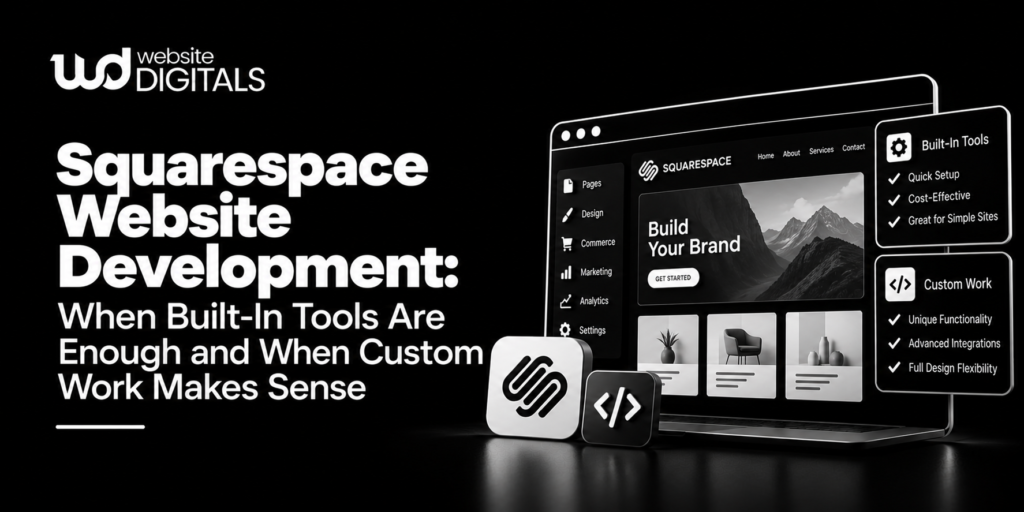
Squarespace can support a polished business site without requiring a custom codebase, which is exactly why project scoping matters. Good Squarespace website development is not about customizing every available element. It is about deciding which requirements can be handled with native pages, sections, commerce features, and integrations, then reserving code for gaps that materially affect the user or the business. That distinction helps teams avoid unnecessary complexity while still leaving room for specialized functionality. Before hiring a developer, businesses should define their content structure, editing needs, integrations, conversion paths, and any behavior that the standard platform cannot comfortably provide.
Start With the Site’s Jobs, Not Its Visual Effects
A Squarespace project should begin with what visitors need to accomplish. A consulting firm may need clear service pages, case studies, lead forms, and scheduling. A restaurant might prioritize menus, reservations, location information, and event content. An online seller has a different set of requirements around products, checkout, fulfillment, and customer communication.
Map those jobs before discussing custom CSS or scripts. If the platform’s existing blocks and settings can create the required experience, using them often keeps editing easier for the internal team. Custom work becomes more defensible when a real requirement cannot be met cleanly with native tools.
This is an important technical tradeoff: a customization can improve one interaction while creating another dependency that someone must understand later.
Squarespace website development Should Respect the Platform Boundary
Squarespace provides several layers of extensibility. Code blocks can add HTML, Markdown, and CSS, while JavaScript and iframe support depends on the plan. Code injection can add HTML or scripts to parts of a site on eligible plans. Squarespace also warns that custom code is an advanced modification outside its support scope and can affect site behavior.
That makes the boundary between configuration and customization important. A small style adjustment is different from a script that changes navigation behavior, manipulates page content, or depends on markup generated by the platform.
The more a site relies on custom code, the more carefully that code should be documented and tested. Squarespace website development works best when customizations are deliberate rather than accumulated as one-off fixes.
Audit Integrations Before Building Around Them
Many business requirements do not require custom programming at all. Squarespace offers official integrations, and its Extensions catalog includes third-party tools for areas such as inventory, fulfillment, finance, marketing, and other workflows. Extensions are managed by third parties, so their support responsibilities differ from official integrations.
Before adding a service, document:
- What business process the integration supports.
- Which data moves between systems.
- Whether the connection is native, an extension, an embed, or custom code.
- Who supports the integration if it fails.
- Whether the third-party service adds a recurring subscription.
- What happens to the user journey when that service is unavailable.
Website Digitals can be relevant where a Squarespace project needs design implementation, platform configuration, or carefully scoped customization. The useful question is not how many integrations a site can contain, but which ones remove real operational or customer friction.
A Simple Scenario Shows Where Customization Can Expand
Consider an independent architecture studio rebuilding a site with project galleries, team profiles, inquiry forms, and a journal. The initial request also includes animated project filters, a highly customized mobile menu, embedded mapping, and a client-only resource area.
The public portfolio and editorial content may fit the platform’s standard structure well. The unusual filtering behavior and restricted-resource workflow deserve separate evaluation. Trying to force every request into injected code could make the project harder to maintain than expected.
A Squarespace development firm should be able to explain which requirements are native, which can use supported integrations, which need custom code, and which may be a poor fit for the platform. That conversation is more useful than promising that every design concept can be reproduced without tradeoffs.
Treat Mobile Testing as Part of Custom Work
Custom code deserves extra scrutiny across screen sizes. Squarespace specifically notes that code-based modifications may not be fully compatible with responsive design, including their behavior on mobile devices.
This matters because a desktop customization can fail in subtle ways on a smaller screen. A floating element may cover a button, custom navigation may become difficult to operate, or an embedded widget may overflow its container.
Test important templates at realistic widths after custom changes. Check navigation, forms, calls to action, galleries, embeds, and any interactive component. Also test with actual content rather than placeholder text because longer titles and real images often expose layout assumptions that were invisible during early design.
Know When an API Is More Appropriate Than an Embed
For some projects, the requirement goes beyond visual customization. Squarespace provides developer APIs for various platform data and workflows, and API availability can depend on the specific tool or plan. Its current developer documentation lists APIs covering areas including orders, inventory, products, transactions, contacts, webhooks, and other developer functions.
An API should not be introduced simply because it sounds more sophisticated. It becomes relevant when another system genuinely needs structured data exchange or automated behavior.
For example, displaying an external scheduling widget may only require an embed. Synchronizing order data with another operational system is a different problem. Good Squarespace website development distinguishes between those needs instead of treating every external connection as the same kind of integration.
Ask Questions That Reveal Maintenance Risk
When comparing a Squarespace development firm, ask questions that clarify what happens after launch:
- Which parts of the site use native Squarespace functionality?
- Where is custom CSS, JavaScript, or code injection used?
- What third-party tools does the site depend on?
- Are any features tied to a particular subscription plan?
- How will customizations be documented?
- What should be retested after major site changes?
- Can internal editors update normal content without touching code?
- Who troubleshoots an extension or embedded service if it stops working?
Website Digitals may fit projects where Squarespace configuration and custom website work overlap. Regardless of provider, these questions help separate a maintainable implementation from one that only looks complete on launch day.
Choose the Simplest Architecture That Meets the Requirement
The strongest Squarespace website development plan uses the platform for what it already does well and adds complexity only where the requirement earns it. Built-in blocks, settings, official integrations, extensions, custom code, and APIs are different tools with different maintenance implications. Treating them as interchangeable can make a site unnecessarily fragile.
Before development begins, classify each requested feature as native, integrated, customized, or potentially outside the platform’s comfortable fit. Then test the highest-risk items before polishing minor visual details. Website Digitals can support Squarespace-related development where additional technical help is appropriate, but the broader principle remains the same: preserve easy editing where possible, document custom dependencies, and make every layer of complexity solve a specific user or business problem.