A dental practice can have excellent clinicians, positive patient reviews, and a strong reputation, yet still lose potential patients before they ever make an appointment. Often, the problem is not the quality of care. It is the online experience.
A slow website, confusing navigation, unclear calls to action, missing service information, or a booking process that takes too many steps can make patients leave and look elsewhere. When someone is searching for a dentist, they usually want answers quickly and a simple way to take the next step.
This is where a professional dental website design company in Canada can make a meaningful difference. A well-designed dental website does more than look professional.
It guides visitors from their initial search to appointment booking with less friction, clearer information, and stronger reasons to trust the practice.
Why Dental Websites Often Lose Potential Appointments
Patients rarely visit a dental website simply to admire its design.
They are usually trying to solve a problem. They may need a new dentist, have tooth pain, want to learn about dental implants, or need to book a routine examination.
If the website makes finding answers difficult, visitors may leave before contacting the practice.
Common problems include:
- Appointment buttons that are difficult to find
- Complicated booking forms
- Poor mobile performance
- Slow-loading pages
- Unclear service information
- Missing contact details
- Weak calls to action
- Too much technical language
- Outdated information
A website can therefore receive traffic without generating enough appointments.
Good dental website design addresses the gap between getting visitors and converting them into patients.
Make the Appointment Button Impossible to Miss
One of the simplest ways to improve online bookings is to make the next step obvious.
A patient should not have to search through several pages to find out how to book.
A prominent “Book an Appointment” button can appear in the website header and throughout important service pages. The wording should be clear and action-oriented rather than vague.
For example, “Book Your Appointment” tells visitors exactly what will happen when they click.
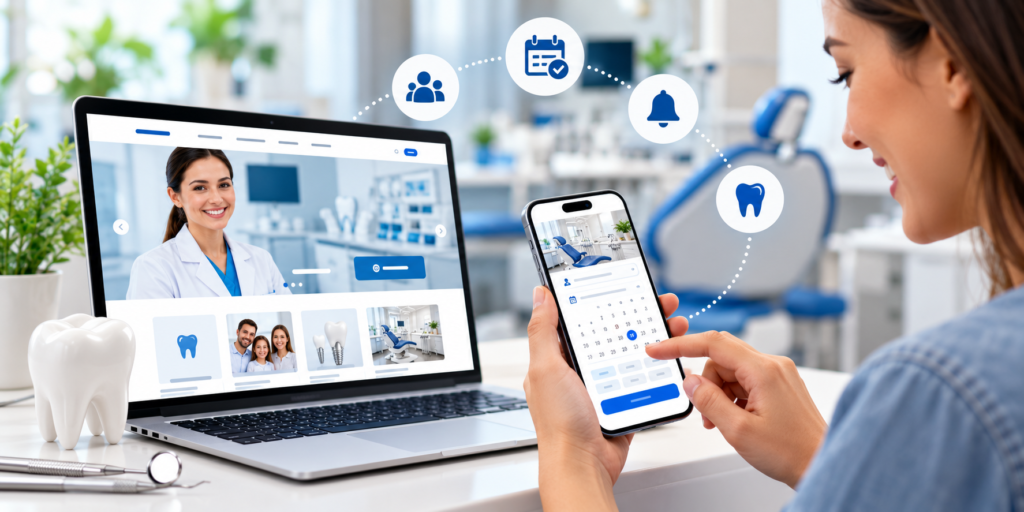
The button should also remain easy to access on mobile devices, where users may not want to scroll back to the top of a long page.
Simplify the Online Booking Process
A patient who is ready to book should not encounter unnecessary obstacles.
Long forms can discourage visitors, particularly when they ask for information that the practice does not need at the initial booking stage.
A more effective process requests essential information and keeps the number of steps manageable.
Depending on the booking system, patients may be able to select a service, preferred provider, date, and available time before entering their contact details.
The exact process will depend on the practice’s systems, but the principle remains the same: remove unnecessary friction between interest and appointment confirmation.
Design for Patients Using Mobile Devices
A significant portion of website visitors may access a dental website from a smartphone.
This changes how the website needs to function.
Small buttons, difficult menus, tiny text, or forms that do not display correctly can make booking frustrating.
A responsive website should adapt to different screen sizes while keeping essential information easy to access.
The appointment button should be visible without requiring excessive scrolling. Phone numbers should be easy to tap, and forms should be simple to complete on a touchscreen.
Mobile-friendly design is therefore not simply a technical requirement. It directly affects the patient journey.
Build Trust Before Asking Patients to Book
Patients may hesitate to book with a dental practice they do not know.
The website needs to answer the questions that naturally arise before someone commits to an appointment.
Visitors may want to know before hiring a dental website design company in Canada:
- Who are the dentists?
- What services does the practice provide?
- Where is the clinic located?
- What type of patients does it treat?
- What technology or treatment options are available?
- What do existing patients say?
A professional dental website can answer these questions through clear service pages, dentist profiles, patient-focused content, testimonials where appropriate, clinic information, and transparent contact details.
The more uncertainty the website removes, the easier it becomes for a visitor to take the next step.
Use Service Pages to Capture Appointment Intent
A homepage should introduce the practice, but it should not be expected to answer every patient’s question.
Dedicated service pages can target specific treatment needs and guide visitors towards booking.
For example, a practice may have separate pages for:
- Emergency dentistry
- Dental implants
- Invisalign
- Teeth whitening
- Children’s dentistry
- Preventive care
- Root canal treatment
Each page should explain the service in straightforward language and make it clear what a patient can do next.
A visitor searching specifically for dental implants should not have to navigate through several unrelated pages before finding relevant information.
Give Patients Enough Information to Make a Decision
Too little information creates uncertainty.
Too much information creates confusion.
Effective dental website content finds the balance.
Patients should understand what a treatment is, who it may be suitable for, what the general process involves, and when they should contact the practice.
Technical terminology should be explained rather than used simply to sound authoritative.
For example, instead of filling a page with clinical terminology, explain what the treatment means in practical terms and what the patient can expect.
This approach supports both search visibility and user experience.
Use Calls to Action Throughout the Patient Journey
A single booking button at the bottom of a website page is not enough.
Patients may be ready to act at different points.
Someone reading about emergency dental care may want to contact the practice immediately. Another visitor may need to read about treatment options before deciding to book.
Calls to action can therefore be placed naturally throughout the website.
For example, a service page might end with an invitation to schedule a consultation, while an emergency dentistry page may encourage immediate contact.
The CTA should match the visitor’s intent.
Make Contact Information Easy to Find
Some patients prefer online booking. Others would rather call.
A dental website should accommodate both.
The practice’s phone number, location, opening hours, and contact options should be easy to find without forcing visitors to search through the website.
For mobile visitors, a clickable phone number can make contacting the practice much easier.
Maps and location information can also help patients determine whether the clinic is convenient for them.
The goal is to eliminate uncertainty at the point when the visitor is considering an appointment.
Create a Better Experience for Anxious Patients
Dental anxiety can influence whether someone books an appointment.
A website can help reduce uncertainty by explaining what patients can expect.
Content can address questions about the first appointment, treatment processes, pain management, sedation options where offered, and how the dental team supports nervous patients.
The tone matters.
A reassuring, straightforward explanation can feel more welcoming than highly clinical content.
For many patients, knowing what will happen before they arrive can make the decision to book feel easier.
Use Dentist Profiles to Strengthen Personal Connection
People are more likely to feel comfortable booking when they know who will be providing their care.
Dentist profile pages can introduce the clinical team, their qualifications, areas of interest, experience, and approach to patient care.
Professional photographs can also make the practice feel more familiar.
This is particularly useful for new patients who have no previous relationship with the clinic.
A website should make the practice feel like a real healthcare environment rather than an anonymous service provider.
Improve Website Speed
A beautiful website does not help if it takes too long to load.
Slow pages can frustrate visitors and increase the likelihood that they leave before viewing the content or booking an appointment.
Website performance can be affected by large images, unnecessary scripts, poor hosting, excessive plugins, and inefficient code.
A professional website development and design process should consider performance from the beginning rather than treating it as an afterthought.
Faster pages create a smoother experience and make it easier for visitors to move towards booking.
Make Website Navigation Simple
Patients should be able to understand the website structure almost immediately.
A clear navigation menu might include sections such as:
Services | About | Dentists | Patient Information | Contact | Book Appointment
The exact structure will vary by practice, but the underlying principle is consistent.
Visitors should know where to find what they need.
Complicated menus can create unnecessary friction, especially when users are visiting from a mobile device.
Use Content to Answer Common Patient Questions
Patients often search online before booking.
They may ask questions about costs, treatment suitability, recovery, preparation, symptoms, or what happens during an appointment.
A dental website can address these questions through helpful educational content, FAQs, and service-page information.
This content can also support SEO by allowing the website to target more specific search queries.
Instead of writing content solely for search engines, focus on the questions patients genuinely want answered.
When useful information and strong conversion paths work together, educational content can contribute to appointment generation.
Build Local Search Visibility Into the Website
For most dental practices, patients are looking for care within a reasonable distance of their home or workplace.
This makes local SEO important.
The website should clearly communicate the clinic’s location and the communities it serves without forcing keywords into every sentence.
Location-specific service pages may be appropriate where they provide genuine value.
Consistent business information, useful local content, clear contact details, and an optimized Google Business Profile can all support local visibility.
The objective is to attract people who are not only searching for dental care but are also realistically able to visit the practice.
Make the Booking Experience Accessible
Accessibility should be part of good website design rather than an optional feature.
Patients may have different visual, physical, cognitive, or technological needs.
Clear typography, sufficient contrast, understandable navigation, descriptive labels, keyboard-friendly interactions, and accessible forms can make the website easier for more people to use.
An accessible booking process reduces unnecessary barriers and creates a more inclusive patient experience.
Connect the Website With the Practice’s Booking System
The website should not operate separately from the clinic’s internal workflow.
If online appointments are available, the booking system needs to work reliably and provide information that reflects actual availability.
Patients should receive clear confirmation after submitting an appointment request or completing a booking.
The practice should also have a process for managing online requests promptly.
A beautifully designed booking page cannot deliver results if appointment requests are missed or processed slowly.