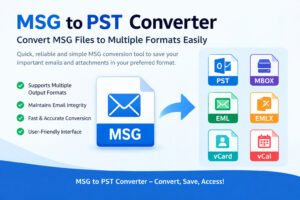
Introduction to MSG and PST files
In the world of email management, two file formats stand out: MSG and PST. Each serves a unique purpose but often leads users to face a common dilemma—how to convert MSG files into PST format. Whether you’re looking to consolidate emails or transfer data for better accessibility, understanding these formats is crucial.
MSG files are single-message files created by Microsoft Outlook, while PST files are used for storing multiple messages and other items in one convenient location. This difference can lead to headaches when trying to switch between the two systems.
Why would anyone want to tackle the task of converting MSG to PST? The answer lies in efficiency and organization. If you’re managing numerous emails or working with large datasets, having them all stored under one umbrella—PST—can simplify your workflow significantly.
Curious about how you can achieve this conversion seamlessly? Let’s explore various methods available at your fingertips!
Differences between MSG and PST files
MSG and PST files serve different purposes in the Microsoft Outlook ecosystem. MSG files are single email messages, containing just one piece of correspondence along with its attachments. This format is ideal for storing individual emails separately.
On the other hand, PST files act as personal storage tables. They can hold multiple messages, calendar events, contacts, and tasks all within a single file. This makes PSTs suitable for archiving entire mailboxes or managing extensive data collections.
Another notable difference lies in accessibility. You can open MSG files easily using various email clients or even text editors. However, PST files require Microsoft Outlook to access their content effectively.
Their sizes also vary greatly; while an MSG file is relatively small due to its singular focus on one message, a PST file can grow large as it accumulates more data over time.
Why convert MSG to PST?
Converting MSG files to PST format is essential for many users managing their email data.
MSG files are designed for individual messages, often making them cumbersome when dealing with bulk emails. In contrast, PST files store entire mailboxes, including folders and attachments in a single file.
Migrating to PST enhances organization and accessibility. It allows for easier backup and restoration of your email data within Microsoft Outlook.
Additionally, if you’re transitioning between different email accounts or clients, converting MSG to PST ensures that you can retain all relevant information seamlessly without losing any critical data.
For businesses handling large volumes of correspondence or individuals archiving important communications, this conversion becomes vital not just for storage but also for compliance with regulations.
Method 1: Using Microsoft Outlook for conversion
Using Microsoft Outlook for MSG to PST conversion is a straightforward approach that many users find effective. If you have Outlook installed, you’re already halfway there.
First, open the MSG file in Outlook. Simply double-clicking on it should do the trick. Once it’s open, drag and drop the email into your desired folder within an existing PST file or create a new one.
This method captures all essential elements of your email: attachments, formatting, and metadata are preserved during this process.
However, remember that bulk conversions can be tedious using this technique. If you have numerous MSG files to convert, patience will be key.
While this method may not offer advanced features like some third-party tools do, its reliability makes it a popular choice among users familiar with Microsoft products.
Method 2: Using online conversion tools
Online conversion tools offer a convenient way to transform MSG files into PST format without the need for complex software installations. A simple search reveals numerous options, making it easy to find a tool that fits your needs.
These platforms typically involve uploading your MSG file and selecting the desired output format. Many of them are user-friendly, guiding you through each step of the process seamlessly.
One significant advantage is accessibility; you can perform conversions from any device with internet access. However, be cautious about data privacy when using these services since you’re uploading potentially sensitive information online.
Most online converters also have limitations on file size or may charge fees for batch processing. It’s essential to review their terms before diving in so you understand what to expect regarding speed and quality of results.
Method 3: Manual conversion through exporting and importing
One effective method for MSG to PST conversion is manual exporting and importing. This process requires a few steps but can be quite straightforward.
First, open Microsoft Outlook and create a new folder specifically for the MSG files. Then, drag and drop your MSG files into this newly created folder. This action helps organize your emails before you start the export process.
Next, go to the “File” menu and select “Open & Export.” Choose “Import/Export” from the options provided. You’ll then need to select “Export to a file,” followed by choosing the PST format for saving.
Once you’ve selected your desired options, complete the prompts that follow. Save your PST file in a location that’s easy to remember.
By following these simple steps, you’ll successfully convert MSG files into PST format without needing third-party tools or software.
Factors to consider before choosing a conversion method
When deciding on a conversion method, the first factor to consider is the volume of MSG files you need to convert. A large batch may require automated solutions for efficiency.
Next, evaluate your technical skills. Some methods demand more computer proficiency than others. If you’re not comfortable with complex tools, simpler options might be best.
Cost also plays a crucial role. Free online tools can be tempting but often come with limitations or security risks. Paid software usually offers better support and additional features.
Another consideration is data integrity. You want assurance that no information will be lost during conversion. Read reviews and check for reliable user experiences before proceeding.
Think about time constraints. If you’re working against a deadline, some methods might take longer than expected due to processing times or troubleshooting issues that arise during the process.
Advantages and disadvantages of each method
When considering MSG to PST conversion methods, each has its own set of advantages and disadvantages.
Using Microsoft Outlook is straightforward for users familiar with the platform. It’s reliable and preserves email formatting well. However, it requires Outlook installed on your system, which may not be accessible to everyone.
Online conversion tools are convenient and often free. They allow quick processing without software installation. Yet, they raise concerns about data privacy and might have file size limitations.
Manual exporting through Outlook offers control over the process. Users can select specific emails or folders for migration. The downside? It can be time-consuming if dealing with large volumes of messages.
Assessing these factors will help you choose the right method based on your needs and preferences while ensuring a smooth transition from MSG to PST formats.
Tips for a successful conversion
When embarking on MSG to PST conversion, a few tips can enhance your success rate. First, ensure that you have the latest version of Microsoft Outlook installed. Compatibility issues can derail your process.
Next, back up your files before starting any conversion. This step is crucial in case anything goes awry during the transfer.
Use only reputable online tools if you choose an automated method. Check reviews and user feedback to avoid scams or data loss.
Be patient throughout the process. Large files may take time to convert fully, so don’t rush it; this helps prevent errors.
Verify the integrity of converted files after completion. Open them in Outlook and check for missing information or formatting issues to ensure everything transferred smoothly.
Conclusion
Converting MSG files to PST format can streamline your email management and ensure better compatibility with Microsoft Outlook. Understanding the distinctions between these file types is essential for choosing the right conversion method. Whether you opt for Outlook’s built-in features, online tools, or manual exporting techniques, each approach comes with its own set of advantages and challenges.
Before making a decision, consider factors like data volume, accessibility to software, and technical know-how. It’s also important to weigh the pros and cons of each method. Armed with this knowledge—and some handy tips—you’ll be well-prepared for a successful MSG to PST conversion process.
Explore your options carefully to find what suits your needs best. With the right approach in hand, transitioning from MSG to PST can be seamless and efficient.