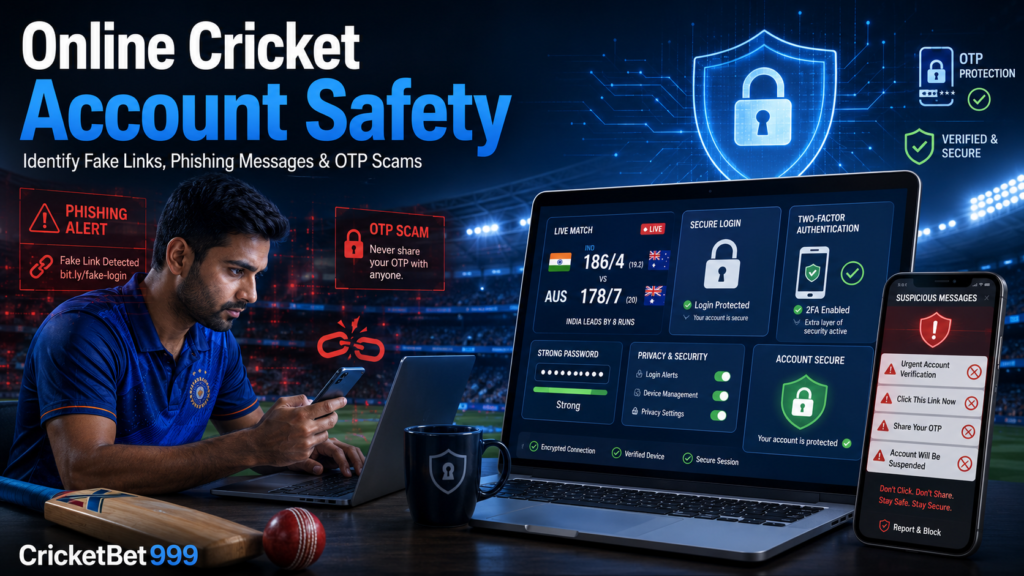
Online cricket followers often use websites, apps and social platforms to read match updates, study scorecards or discuss player performance. Unfortunately, scammers may use the same interest to distribute fake links, misleading messages and fraudulent login pages. These attempts can look professional and may copy familiar names or layouts. Online safety therefore begins with checking website addresses, protecting login details and refusing to share passwords, PINs or one-time passwords.
Why Online Cricket Account Safety Matters
A fake cricket website may be designed to collect a visitor’s phone number, password, payment information or personal data. Phishing messages can also direct users to imitation login pages that appear genuine. CERT-In warns that scammers commonly use convincing branding and urgent language to push users toward counterfeit websites.
Experience alone does not provide complete protection. A rushed reader may click because a message mentions account suspension, match access or an immediate security update. Taking a few seconds to verify the source can prevent an account-security problem.
How to Identify Fake Cricket-Related Links
Start by examining the full web address. Misspelled brand names, extra characters, unusual domain extensions and shortened links from unknown senders are common warning signs. A page may also contain poor grammar, broken design elements, aggressive pop-ups or instructions to download an unfamiliar application.
Be cautious when a link creates urgency or promises unrealistic rewards, fixed outcomes or guaranteed results. Missing HTTPS protection is another concern, but the padlock symbol alone does not prove that a website is trustworthy. Fraudulent sites can also use encrypted connections. Review the domain, content quality, contact information and reason for the request together.
Common Signs of a Phishing Message
Phishing messages may arrive through SMS, email, WhatsApp, Telegram or social media. They often claim that an account will be blocked unless the user verifies it immediately. Other signs include fake security alerts, unknown attachments, spelling mistakes and links that do not match the organisation named in the message.
Do not reply using the details supplied in a suspicious message. Open the official website manually or use a verified contact channel. A genuine-looking logo or profile image is not proof that the sender represents the claimed organisation.
How OTP Scams Usually Work
In an OTP scam, a fraudster may pretend to be a customer-support representative, account manager or security team member. The person may claim that the code is required to verify an account, cancel a request or prevent suspension.
An OTP is a confidential security code and must never be shared with another person. RBI safety material also advises users not to disclose OTPs, PINs, passwords or confidential information. Legitimate support staff should not need a private authentication code to provide routine assistance.
Practical Steps to Protect Your Account
Follow these account-security tips consistently:
- Create a strong, unique password for every important account.
- Enable two-factor authentication when it is available.
- Type the official website address manually or use a trusted bookmark.
- Avoid links and attachments sent by unknown accounts.
- Never reuse the same password across multiple services.
- Keep your phone, computer, browser and security software updated.
- Review active login sessions and remove devices you do not recognise.
- Avoid accessing sensitive accounts through public Wi-Fi.
- Log out after using a shared device.
- Block and report suspicious senders.
Password protection works best when combined with careful browsing. Two-factor authentication adds another barrier, but users must still protect verification codes and recovery details.
What to Do After Clicking a Suspicious Link
Close the page immediately and do not enter any information. If login details were submitted, open the genuine website independently and change the password. Review recent activity, sign out unknown sessions and enable additional security controls.
If financial information was entered or an unauthorised transaction appears, contact the relevant bank or service promptly. In India, cybercrime complaints can be submitted through the National Cyber Crime Reporting Portal, while financial cyber fraud can be reported through helpline 1930. Preserve screenshots, messages and transaction details because they may help when reporting the incident.
The Educational Role of CricketBet999
CricketBet999 publishes educational cricket information along with online account-safety awareness content. Its resources can help readers understand cricket topics while encouraging cautious digital habits, data privacy and responsible online behaviour. The website should be viewed as an informational resource, not as a guarantee that any third-party platform or link is safe.
Conclusion
Online cricket account safety depends on small but consistent decisions. Verify links before opening them, protect passwords and OTPs, ignore urgent or unrealistic offers, and use independently verified support channels. Whether reading cricketbet999 or another cricket resource, remain alert to impersonation and suspicious login requests. A calm verification step is more useful than reacting quickly to a message designed to create fear or excitement.