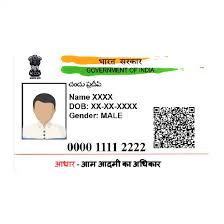
In India, the Aadhaar card is an essential identification document that is used for multiple purposes, ranging from banking transactions and government benefit schemes to opening mobile connections. To make things simpler and safer for the public, the UIDAI (Unique Identification Authority of India) introduced e Aadhaar, which allows users to access a digital copy of their Aadhaar card. This article will discuss the step-by-step process of e Aadhaar download securely online, along with important tips and safety measures to ensure a seamless experience.
What Is e Aadhaar?
Before diving into the downloading process, it is helpful to understand what e Aadhaar is. e Aadhaar is an electronically verified digital copy of your physical Aadhaar card, and it is digitally signed by the UIDAI. This digital Aadhaar version holds equal legal validity as the physical card and can be downloaded from the UIDAI website or mobile app anytime.
Why Should You Download e Aadhaar?
Downloading the e Aadhaar has several benefits:
- Easy Accessibility: You can access your Aadhaar information on your smartphone, computer, or tablet—anytime, anywhere.
- Quick Identification: In situations where a physical Aadhaar card is unavailable or misplaced, the e Aadhaar serves as a reliable substitute.
- Environmentally Friendly: By using e Aadhaar, you reduce the need for paper usage.
- Secure Transactions: Since your e Aadhaar is password-protected, it offers an added layer of security during digital operations.
Given its multiple advantages, understanding how to download e Aadhaar securely is essential.
Things You Need Before e Aadhaar Download
Before proceeding with the e Aadhaar download, ensure you have the following details handy:
- Aadhaar Number or Enrollment ID (EID): You can download e Aadhaar using either your 12-digit Aadhaar number or your 14-digit Enrollment ID.
- Registered Mobile Number: UIDAI sends OTPs to the mobile number associated with your Aadhaar card for identity verification.
- Access to Internet Connection: Ensure you have a stable internet connection while downloading e Aadhaar.
- PDF Reader: The downloaded e Aadhaar will be in PDF format. You’ll need a PDF reader to open it.
Easy Steps for e Aadhaar Download Securely Online
Below is a step-by-step guide on how to download your e Aadhaar securely online using the official UIDAI website:
Step 1: Visit the Official UIDAI Portal
- Start by visiting the official UIDAI website: https://uidai.gov.in
- Navigate to the “My Aadhaar” section and click on the “Download Aadhaar” option
Step 2: Choose the Appropriate Option
You’ll be presented with three options for downloading e Aadhaar:
- Aadhaar Number: Use this if you know your 12-digit Aadhaar number
- Enrollment ID: Choose this if you have the 14-digit EID mentioned on the acknowledgment slip provided during Aadhaar registration
- Virtual ID: If you have your 16-digit Virtual ID (VID), you can use this method
Select one of these options based on the information available to you.
Step 3: Enter Your Details
Fill in the necessary details, such as your Aadhaar number, Enrollment ID, or Virtual ID. You’ll also need to input the Captcha verification code displayed on the page.
Step 4: Verify Your Identity
Once you enter the required details, an OTP (One-Time Password) will be sent to your registered mobile number. Enter the OTP in the designated field to verify your identity.
Step 5: Download Your e Aadhaar
After successful verification, you’ll see an option to download your e Aadhaar in PDF format. Click on the download button and save the file on your device.
Accessing and Securing Your e Aadhaar PDF
The e Aadhaar file you download will be password-protected. The password is a combination of the first four letters of your name (in uppercase) and your year of birth. For example, if your name is John Smith and your birth year is 1990, your e Aadhaar password will be JOHN1990.
Once you open the file using the correct password, you can easily access all your details. Ensure you save the file securely—preferably in an encrypted folder or cloud storage.
How to Download e Aadhaar via mAadhaar Mobile App
Another secure way to perform an e Aadhaar download is by using the UIDAI’s mAadhaar mobile app. Follow these steps:
- Install the mAadhaar App: Download the app from the Google Play Store or Apple App Store
- Login with Your Aadhaar Credentials: Use your Aadhaar number or Virtual ID to log in
- Generate OTP for Verification: An OTP will be sent to your registered mobile number
- Download e Aadhaar: After verification, you can download your e Aadhaar directly within the app
The mAadhaar app offers added convenience as it allows you to store and manage multiple Aadhaar profiles securely on your smartphone.
Tips to Ensure a Secure e Aadhaar Download
When downloading e Aadhaar online, keeping your data secure is crucial. Follow these safety tips:
1. Always Use UIDAI’s Official Website
Avoid downloading Aadhaar documents from third-party websites or apps, as they may compromise your sensitive data. Only use UIDAI’s portal or the mAadhaar app for downloading e Aadhaar.
2. Ensure Connection Security
Make sure you are using an encrypted internet connection to download your e Aadhaar. Avoid public Wi-Fi networks, as they are more vulnerable to data breaches.
3. Verify Your Identity via OTP
Always use your registered mobile number for OTP verification. If your number is outdated, update it by visiting an Aadhaar Enrolment Center before proceeding with the e Aadhaar download.
4. Protect the Downloaded File
Use a strong password to secure your e Aadhaar file and avoid sharing the password with others. If possible, encrypt the file or store it in a secure cloud service with two-factor authentication.
What to Do If You Face Issues During e Aadhaar Download?
While downloading your e Aadhaar is a straightforward process, some users may encounter issues. Here’s how you can address common problems:
- Invalid or Expired OTP: If the OTP entered is invalid or expired, request a new OTP from the website and complete the verification again
- Slow Internet Connection: Ensure you have a stable internet connection while downloading the file
- Error in Captcha Entry: Double-check the Captcha code for accuracy to avoid errors in logging in
If these issues persist, you can contact UIDAI’s toll-free helpline at 1947 or email help@uidai.gov.in for assistance.
Conclusion
Downloading your e Aadhaar securely online is an essential step in accessing one of India’s most crucial identification documents without reliance on the physical card. Whether through the UIDAI website or the mAadhaar app, the e Aadhaar download process is simple, fast, and secure.
Remember to follow the safety tips mentioned above to protect your Aadhaar data from unauthorized access. By taking these precautions, you can enjoy the convenience of digital security while accessing your Aadhaar information anytime and anywhere.
The ease and accessibility of e Aadhaar download have made it an invaluable tool for citizens in an increasingly digital world. Whether you’re applying for welfare programs, verifying your identity online, or conducting financial transactions, the e Aadhaar serves as a seamless solution for all users.